
Discover the July System Updates and Advancements
We are excited to share our July updates, featuring system advancements, tips, and seasonal highlights.
We are enthusiastic about the potential these updates offer and the new heights we can reach together. Thank you for your trust in us. We look forward to another month of mutual progress and collaboration.

Cheers to the first edition of our AI Automation System Update! We're excited to share the latest innovations, key milestones, and success stories as we continue to advance our AI and automation capabilities.
Going forward, you will notice this new section on the monthly emails, giving you an inside look at newly launched automations, upcoming enhancements, performance highlights, and opportunities to make our processes even smarter and more efficient.
We're committed to building a smarter, more connected, and innovative future—one automation at a time.
AI-Powered PDF Import Widget
We are excited to announce the introduction of the AI import widget, which significantly enhances our operational capabilities. This innovative tool streamlines data import by allowing users to effortlessly upload a PDF list of items directly into a transaction within our system. Furthermore, any items included in the import that do not currently exist in our database can be created automatically during the import process. This means increased efficiency and accuracy in data handling, making it easier than ever to manage inventory and transactions seamlessly.
-20260707-181349.png?cb=dce21b541621d00b61081bdb92547fc3)
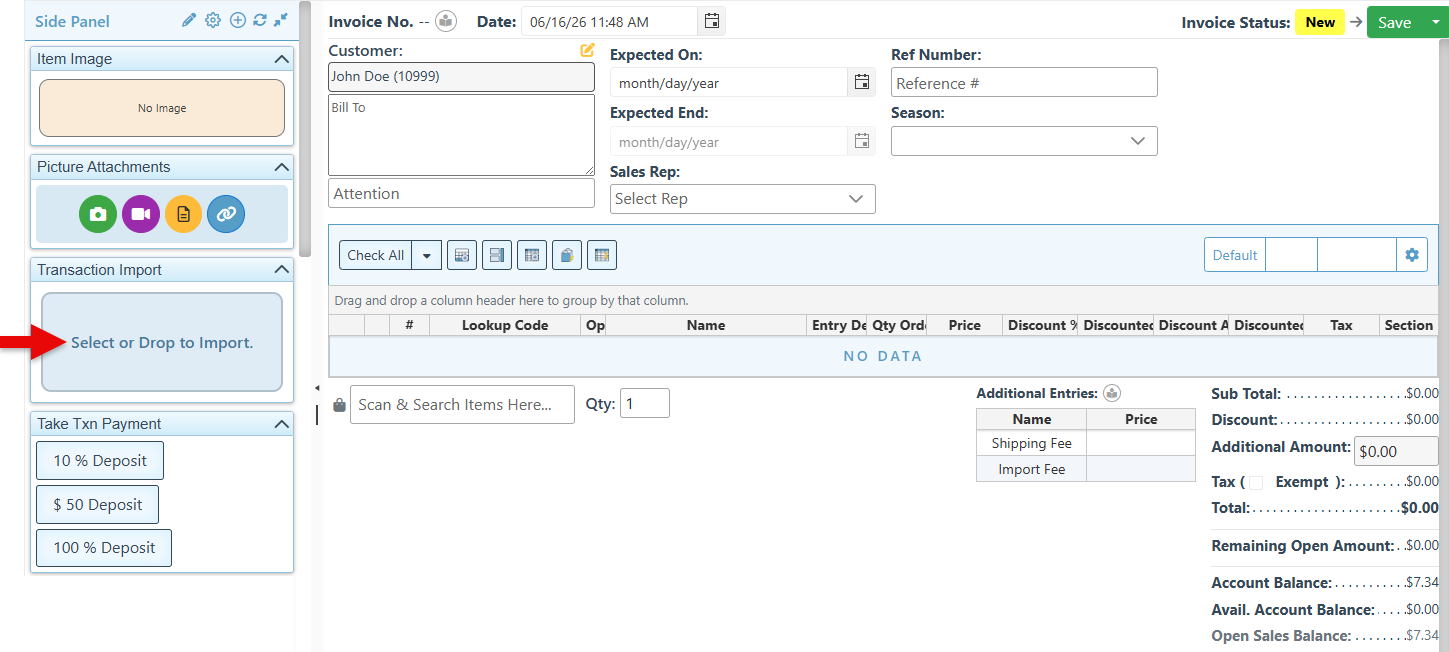
The Transaction Import widget, located in the transaction side panel, enables files to be selected and imported as transaction entries. Clicking on the import widget opens the Files pop-up, where a PDF file can be selected for import.
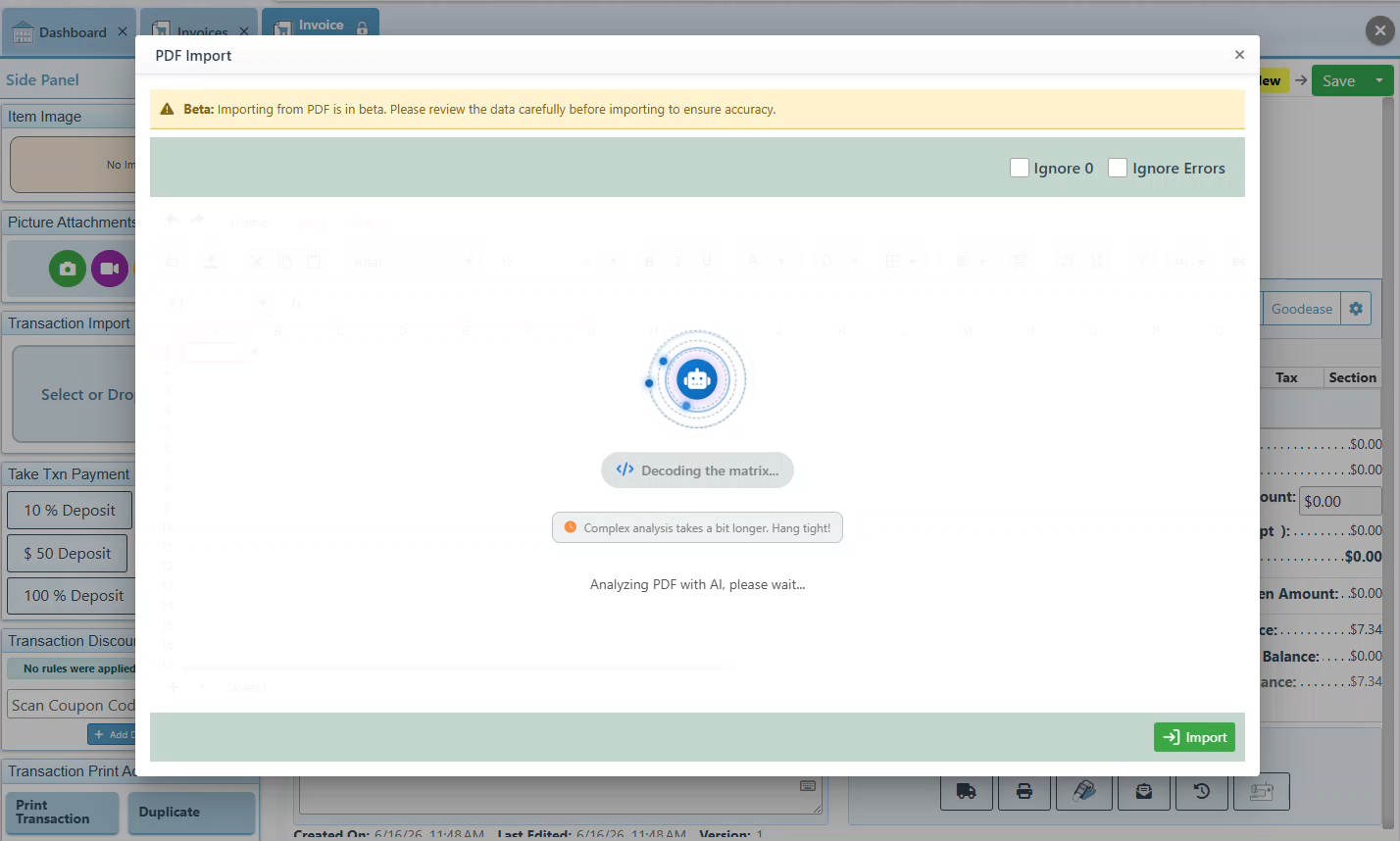
Once selected, AI will analyze and convert the PDF to an Excel file.
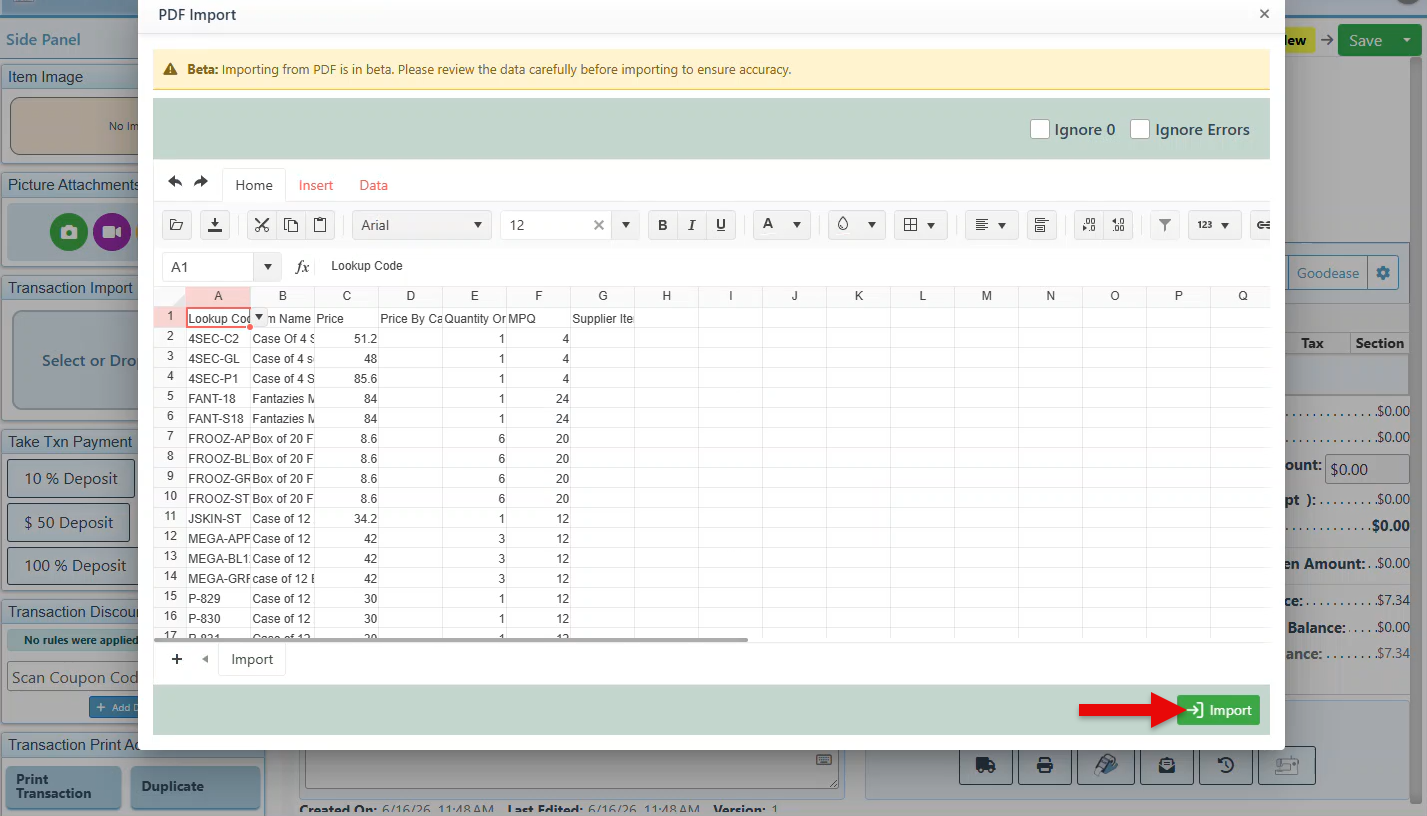
An Excel sheet listing the items and their details will appear, allowing changes to be made to the item entries. After reviewing and updating, clicking the “Import” button will import the entries into the transaction.
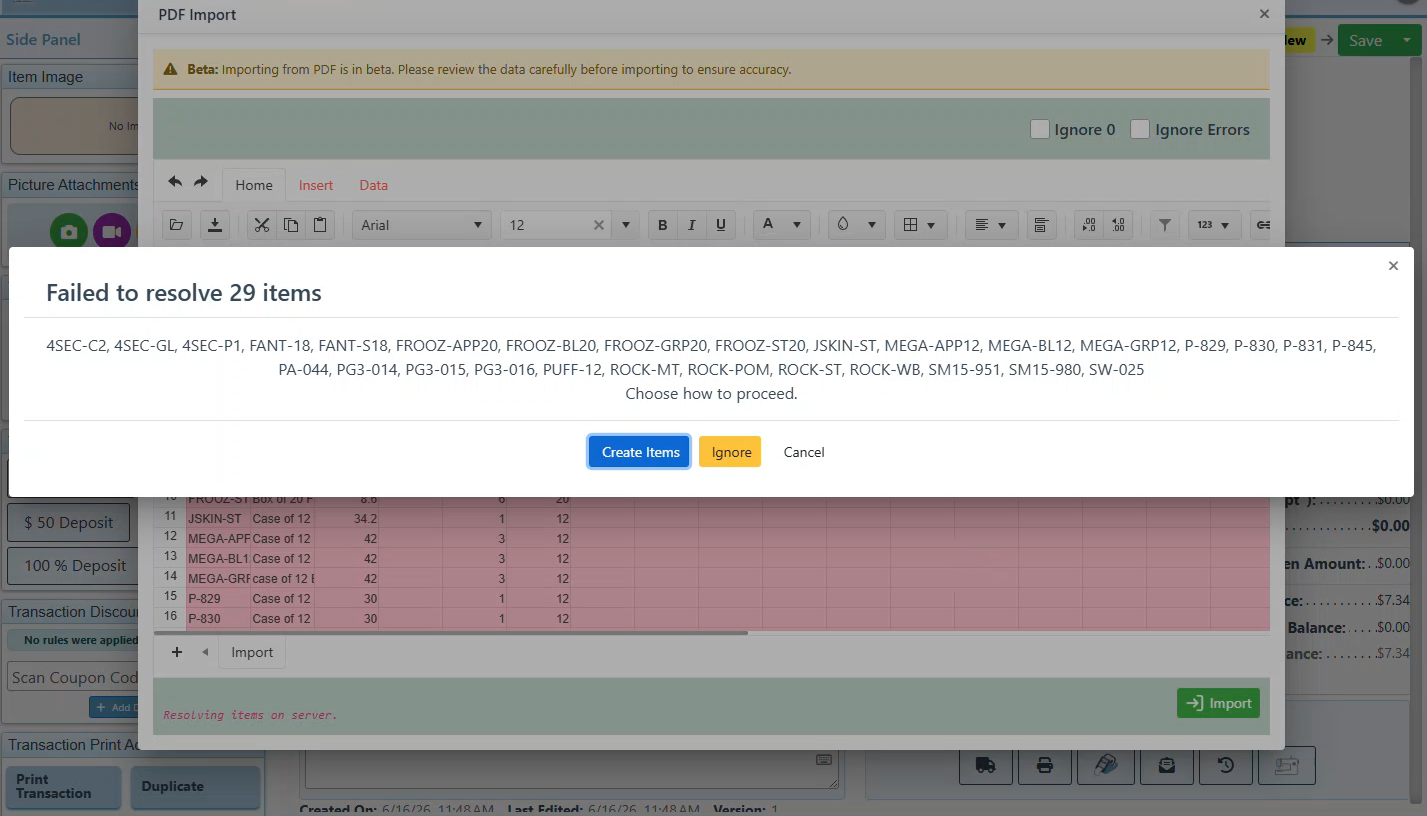
In the event that items listed in the PDF have not yet been saved within the system, a pop-up notification will appear requesting confirmation of whether to disregard or create these items.
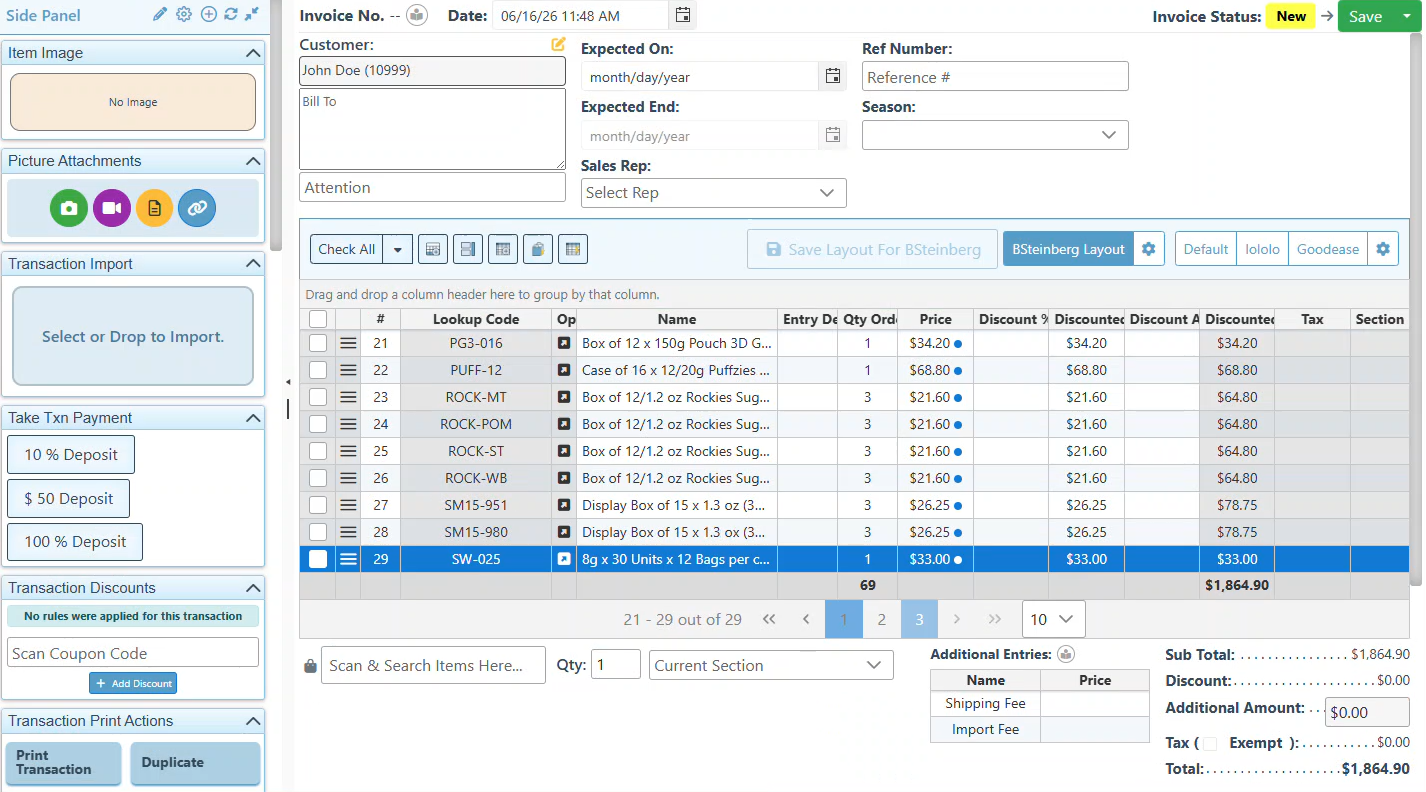
The items are then added to the invoice and can be removed or updated as usual.

-
New option to apply coupons to sales at self-checkout.
-
Transaction readout widget, to read out transaction entries, including the option to select specific entry fields to read.
-
Advanced system feature to copy transaction entries and paste as multiple repeated sections.
-
New configuration to suggest recently used email addresses when sending an invoice.
-
The Price checker display can now feature specified custom fields.

-
Hovering over an open tab in the Backoffice will show a pop-up with more page details, useful when having multiple transactions open.
-
To add convenient sale action buttons to the side panel, click the + button at the footer of the Frontend side panel.

-
When used efficiently, AI solutions should handle 70% of repetitive or preparatory work, while humans retain the remaining 30% for oversight, creativity, and judgment, according to a Golabs study.
-
AI Automation Stats indicate that approximately 88% of enterprises use AI automation to improve efficiency.
-
Employees experience an average 40% productivity boost when integrating AI into their daily workloads, as found by a landmark study by researchers from Harvard Business School, published in collaboration with Boston Consulting Group.
-
15.7%: The average operational cost savings reported by businesses adopting generative AI applications.

Explore our "What’s New" page to discover the latest advancements and updates. We regularly share our newest developments, innovations, and features to keep you informed and engaged.
See our Help Page for comprehensive guides and illustrations that detail both basic and advanced features of the system.
Ensure that your system is updated to the latest version by closing and restarting the POS program. A notification pop-up will appear, prompting you to update to the most recent version. This will enable access to and installation of the latest feature updates for your system.
Note: The POS system is highly customizable. If your system does not show the features mentioned here, contact your First Choice agent to set it up.
Our expert support team is standing by to assist you, via phone or Email, with any questions that may arise.
Contact us at 718-522-0909 or email info@firstchoicepos.com.
Happy with the service? Give us a thumbs-up.
Write a quick and easy GOOGLE REVIEW to let others know why First Choice is the best choice for a retail business.