
.png?cb=79db97c028deaf9f77ca6bf0fd3f1b90)
View the August System Updates and Advancements
We are excited to share our August updates, featuring system advancements, tips, and seasonal highlights.
We are enthusiastic about the potential these updates offer and the new heights we can reach together. Thank you for your trust in us. We look forward to another month of mutual progress and collaboration.
Item Label Designer
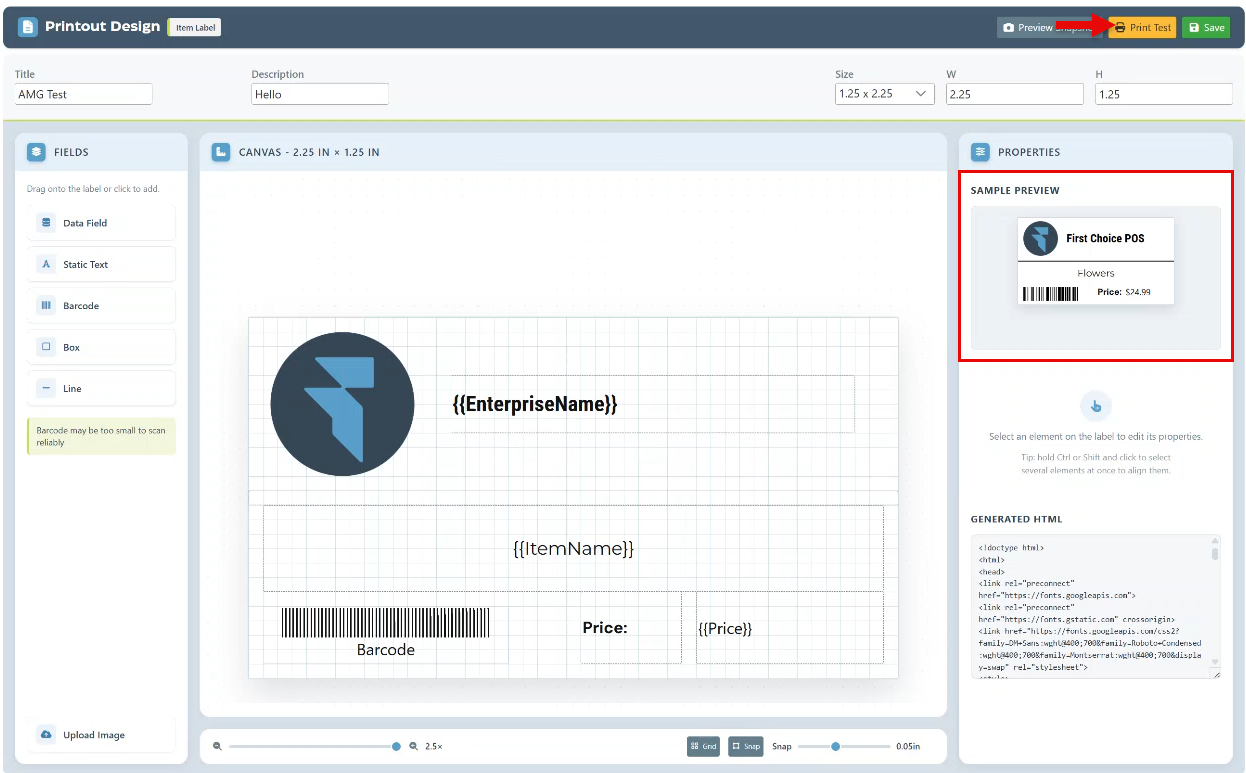
We are excited to announce the launch of our new label designer, which provides complete customization options, including selecting which fields to display, choosing fonts, adjusting sizes, and setting positions. It also allows for uploading images, such as logos, to create a polished and personalized appearance. With this new label designer, the possibilities for advanced personalization are endless.
This page can be accessed by clicking the “Design Layout” button in the item label Printout layout settings.

The label size can be selected from the dropdown menu of options. Or for further customizations, specific label width and height can be entered in the designated fields
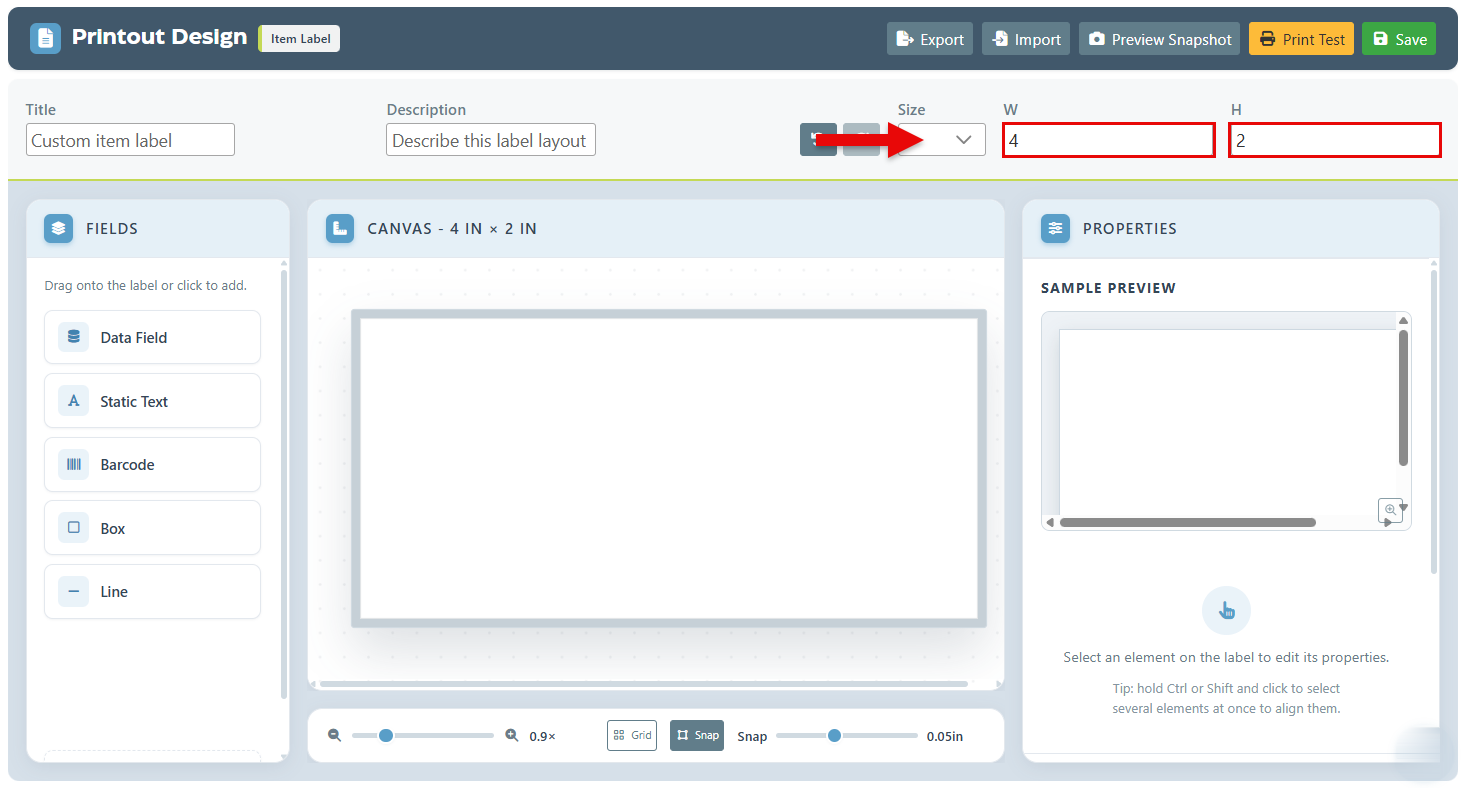
The left-hand menu features various fields that can be incorporated into the label layout. The available options include:
-
Data Field: A field that is updated according to the specific item, such as a Lookup code, name, etc. Furthermore, this option also includes the ability for multiple item fields to be added in a single field box.
-
Static Text: A basic text box designed for fixed content.
-
Barcode: Utilized for displaying the item’s barcode.
-
Box or Line: Used for enhancing design elements or creating divisions within the label.
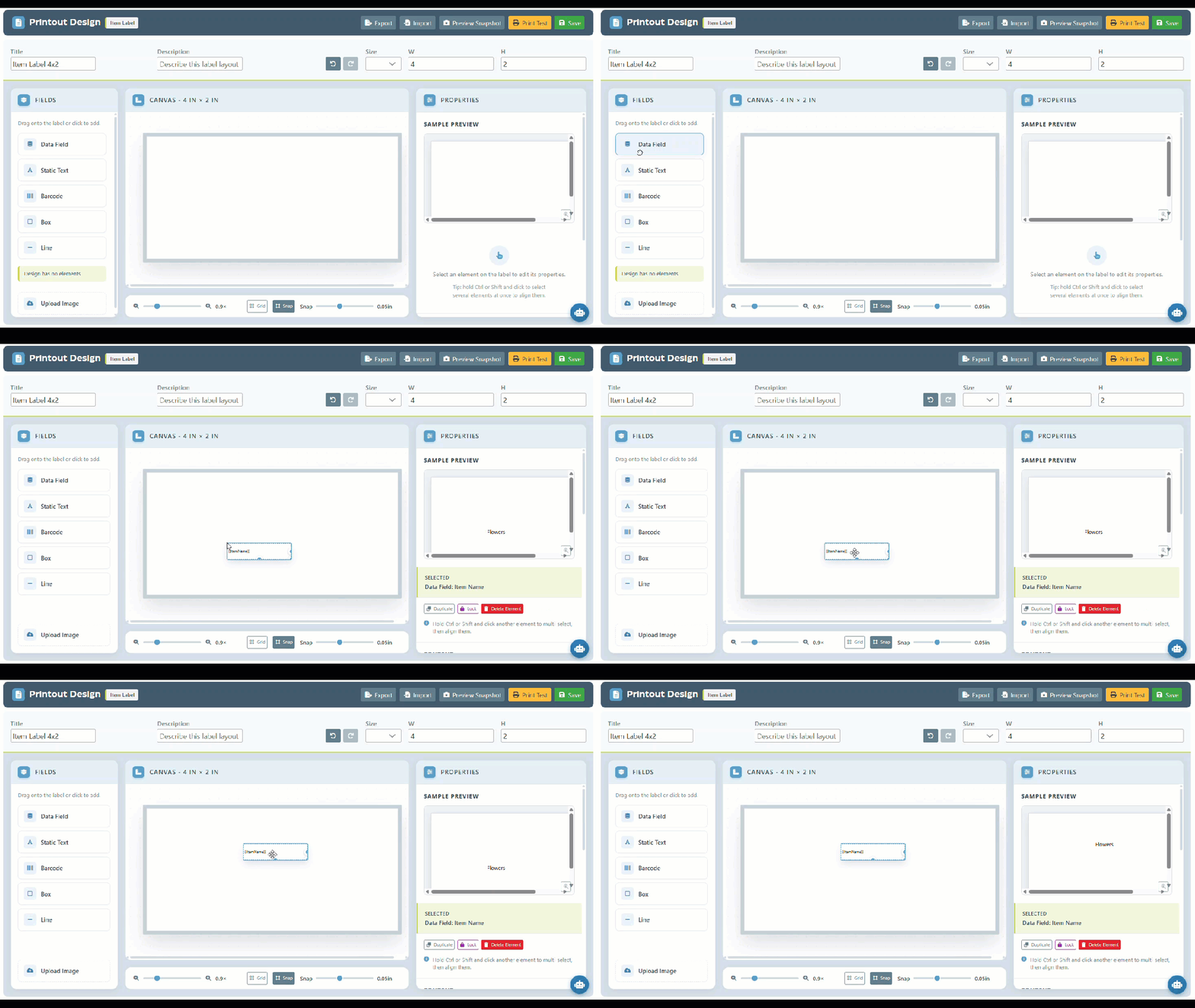
The field properties can then be edited in the right side panel. Options will appear when a specific field is selected. The field can be “Duplicated” to add a copy of the field on the layout, “Locked” to lock it into place to prevent confusion, or “Delete Element” to remove the element from the layout.
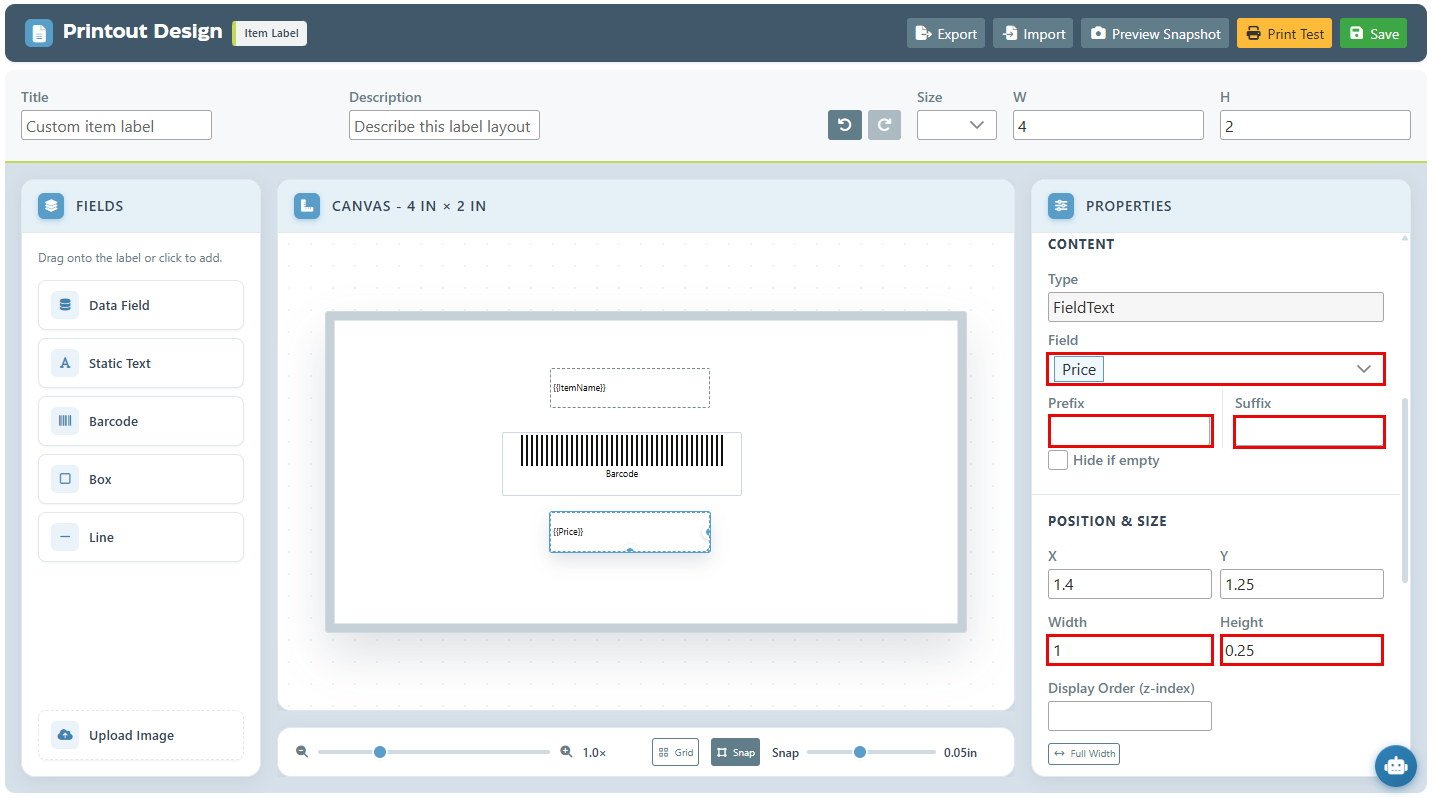
For Data or text fields, the specific field or text to display can be selected. Furthermore, a prefix or suffix can be entered to be attached to the field.
Additionally, the field size and font properties including, font type, size, bold, and position, can be adjusted and customized to meet personal preferences.
The upload Image feature can be utilized for visual customizations, especially for displaying business logos.
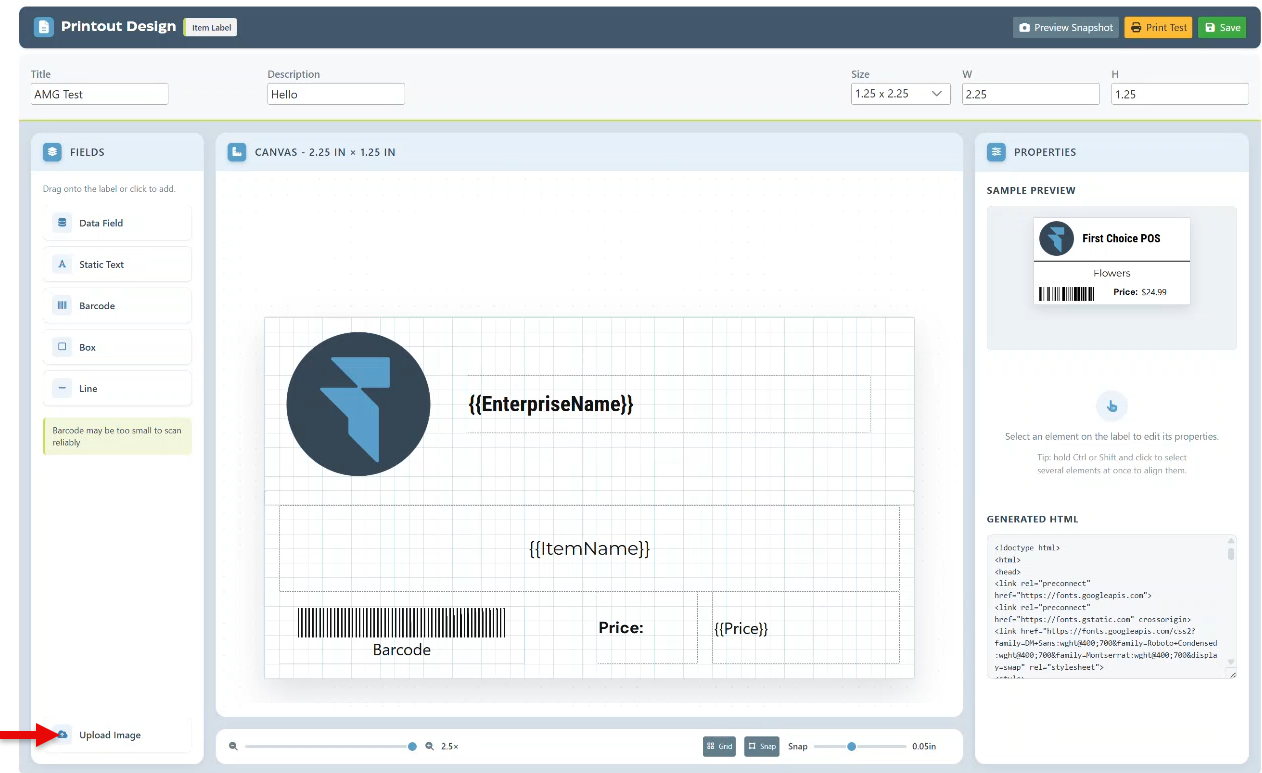
A preview of the layout selections will be displayed at the top of the side panel. Alternatively, the “Print Test” option can be used to print a preview for review.

-
Advanced new button in the transaction side panel to manage out-of-stock items. After available items are supplied, clicking this button will open a pop-up to adjust the ordered quantity to the supplied amount and update the inventory to reflect zero stock for those items.
-
New Self-checkout option enables customers to order cases directly from the self-checkout kiosks.
-
Advance the quick-create item pop-up in the frontend to include an option to select a category for the item.
-
Introducing the Per-character Package option, allowing for multiple personalizations to be added to an item without the need to select each customization individually.
-
New option to set custom ads and uploads on customer displays.

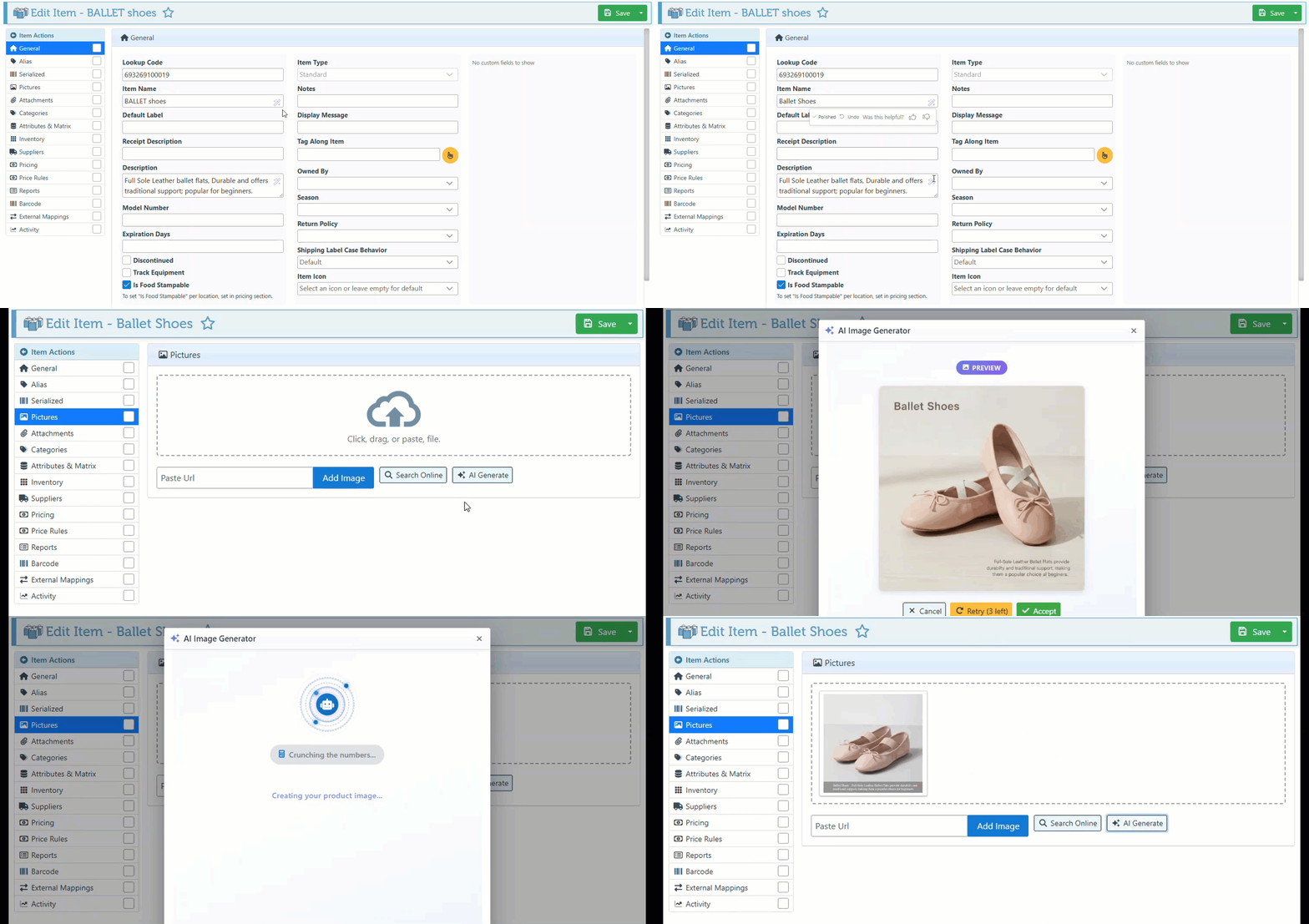
Enhancing item management with new AI capabilities, including: Polish AI to refine item names for greater clarity and consistency, and AI Generating Pictures to instantly create images based on the item name, ensuring more polished, visually engaging content.

Use the keyboard Shortcut “Ctrl, Alt, =” to zoom in and enlarge the POS screen view.
Use “Ctrl, Alt, -” to zoom out the POS screen for a more compact view,
To easily navigate to the item discount tab, use Ctrl F3 and proceed to apply item discounts.

-
Monetizely Research shows that Products ending in $.99 are perceived as significantly cheaper than round numbers, with consumers reading from left to right and heavily anchoring on the first digit, increasing sales.
-
According to Psychological Pricing Tactics, including commas on the label price (e.g., $1,499 vs $1499) causes consumers to perceive the item as more expensive. It increases the "syllable count" of the price when spoken internally, artificially spiking the perceived cost.

Explore our "What’s New" page to discover the latest advancements and updates. We regularly share our newest developments, innovations, and features to keep you informed and engaged.
See our Help Page for comprehensive guides and illustrations that detail both basic and advanced features of the system.
Ensure that your system is updated to the latest version by closing and restarting the POS program. A notification pop-up will appear, prompting you to update to the most recent version. This will enable access to and installation of the latest feature updates for your system.
Note: The POS system is highly customizable. If your system does not show the features mentioned here, contact your First Choice agent to set it up.
Our expert support team is standing by to assist you, via phone or Email, with any questions that may arise.
Contact us at 718-522-0909 or email info@firstchoicepos.com.
Happy with the service? Give us a thumbs-up.
Write a quick and easy GOOGLE REVIEW to let others know why First Choice is the best choice for a retail business.