

Explore our February System Updates
We are excited to share our recent advancements, featuring system updates, tips, and seasonal highlights.
We are enthusiastic about the potential these updates offer and the new heights we can reach together. Thank you for your trust in us. We look forward to another month of mutual progress and collaboration.
Mobile App Release
Complementing the core POS system, the mobile app provides seamless, user-friendly access to real-time business insights anytime, anywhere. It empowers users to efficiently manage key operations on the go, including quick item updates and inventory adjustments, ensuring greater flexibility, visibility, and control over daily business activities.
To download the app, Android users can search for “First Choice Mobile” in the Google Play Store. For more details on how to add the mobile app on Apple devices, click here. Additionally, please reach out to us at 7185220909, to receive app access.

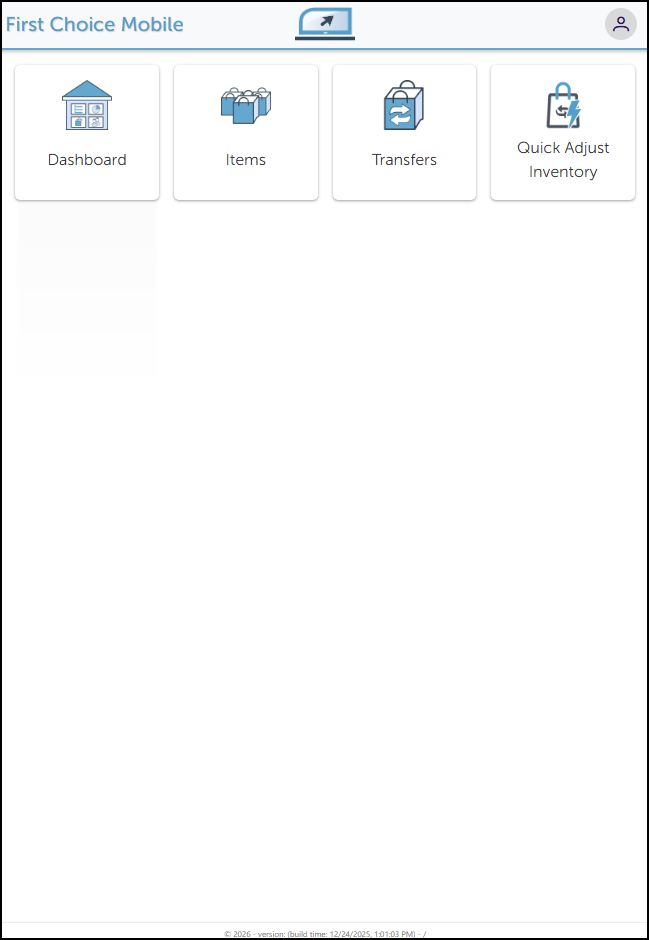
The mobile app homepage presents a streamlined, intuitive interface featuring iconed cards that provide direct access to essential business reports, item/ inventory details, and key operational actions.
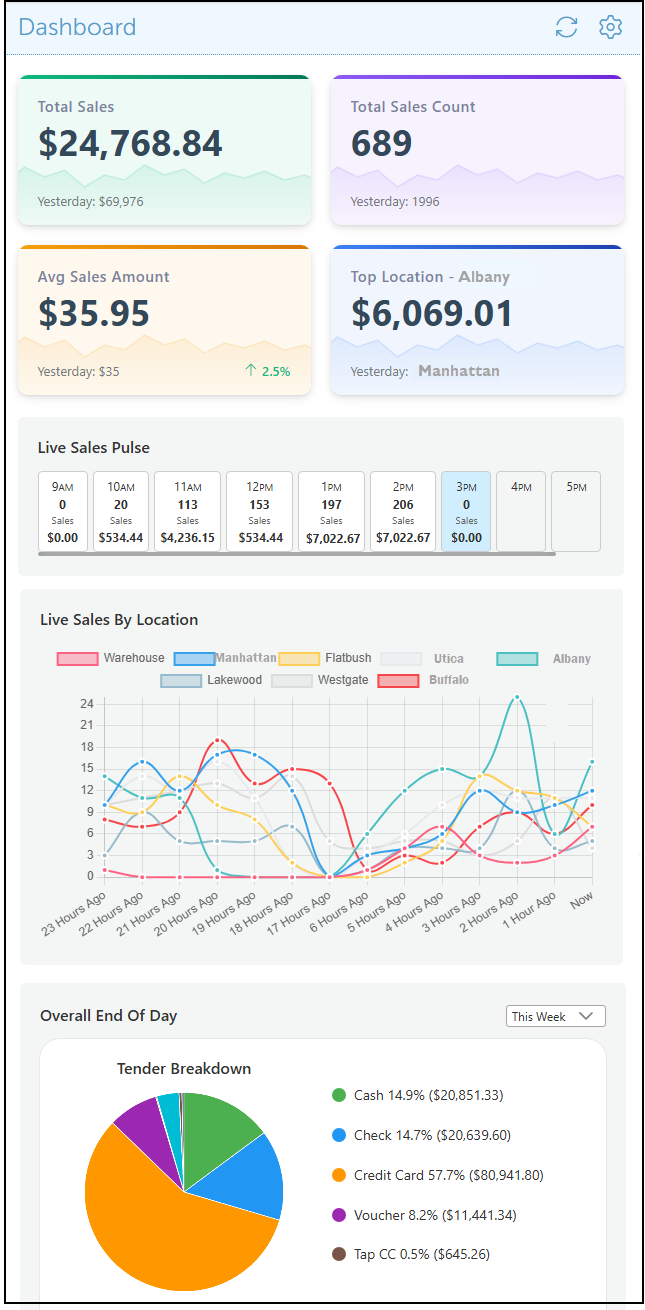
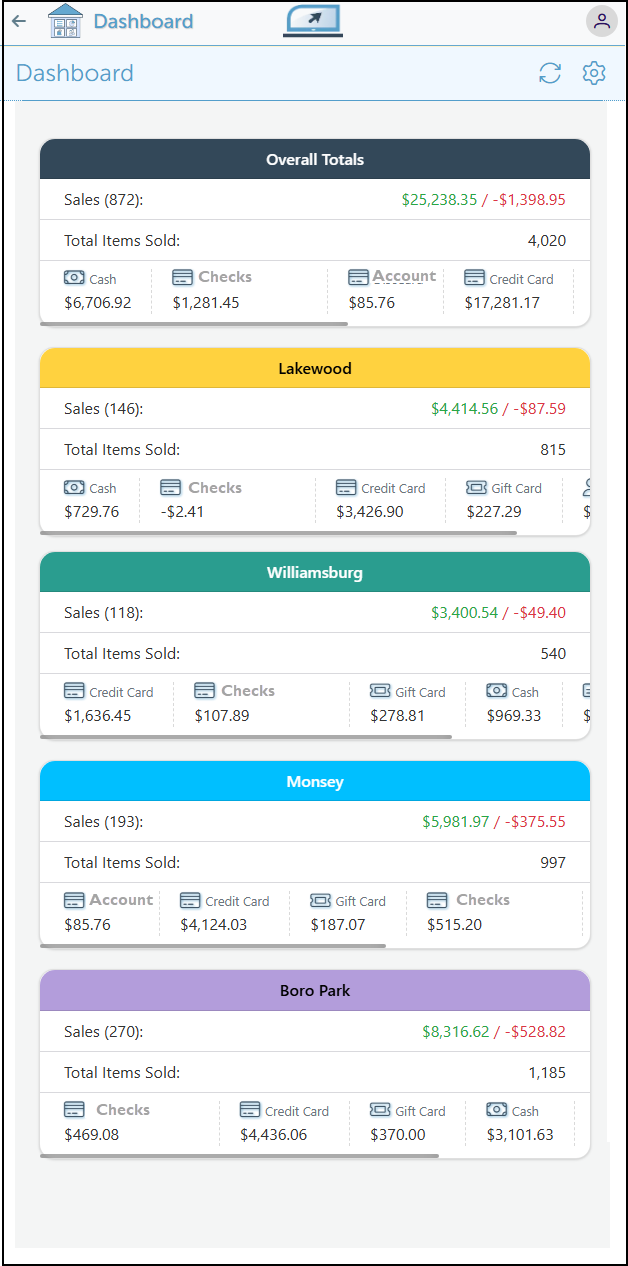
The dashboard is a user-friendly interface that consolidates essential business data into a single, intuitive view. It includes multiple sections that can be easily added or removed based on user preference. This design provides advanced, real-time insights into key business activities, facilitating informed decision-making, performance tracking, and enhanced operational efficiency at a glance.
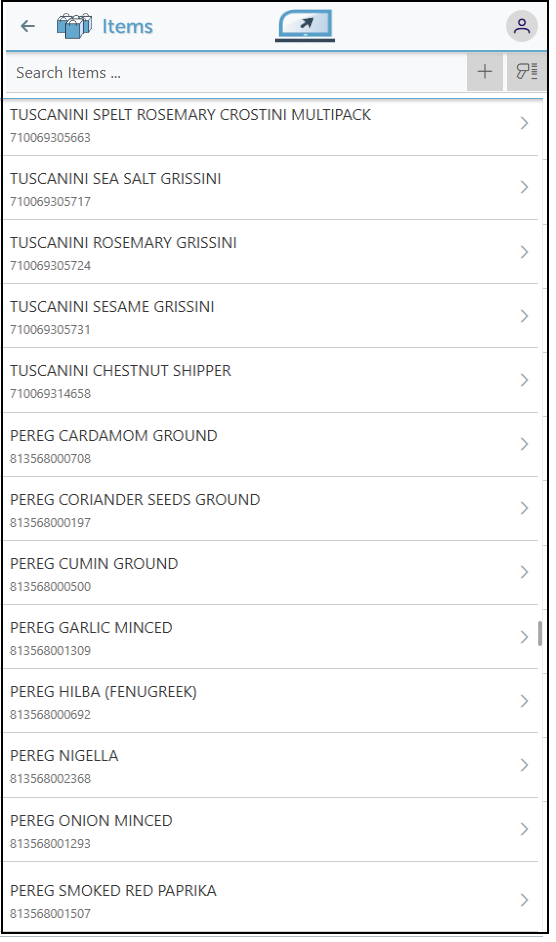
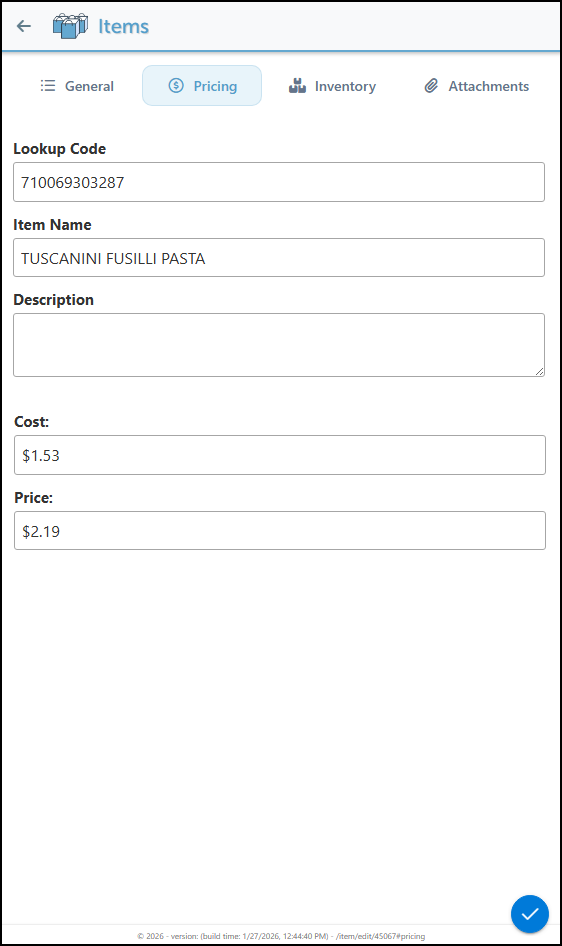
The Items page presents a complete list of all products, allowing users to quickly locate or add specific items using the Scan or Add functionality.
Detailed pricing and inventory information for each item can be conveniently viewed and adjusted at any time, enabling seamless management while on the sales floor or on the go.
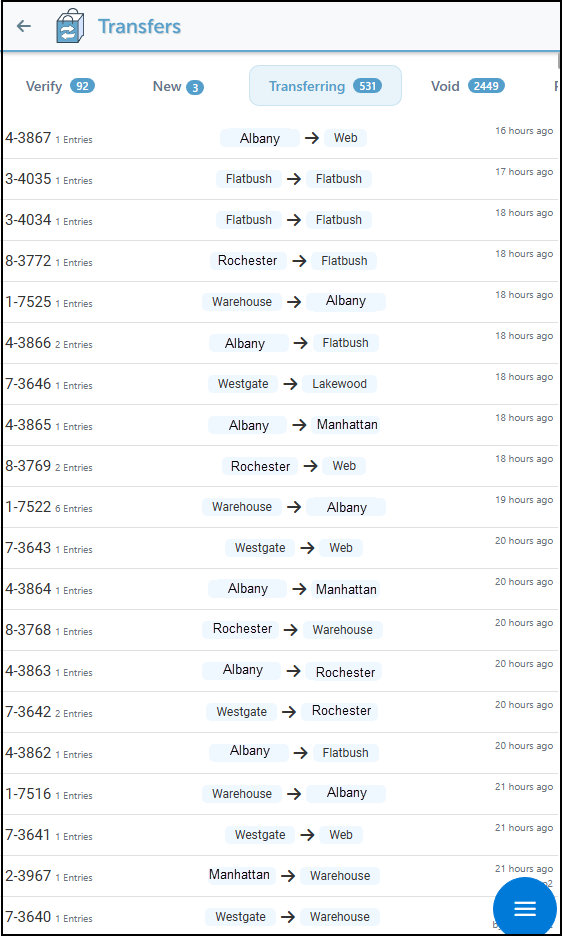
Navigate the header tabs to access a comprehensive view of all inventory transfers, in lists organized by transfer status for efficient tracking and management.
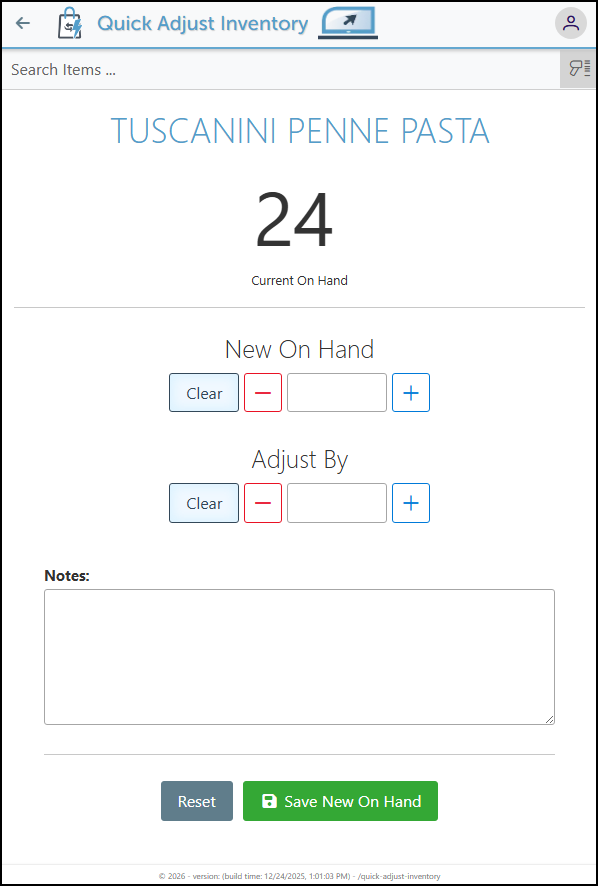
Items can be scanned to manage inventory by setting a new on-hand quantity or incrementally adding or removing specific amounts. This allows for quick, precise inventory adjustments while navigating the store, ensuring real-time stock visibility and operational efficiency.

-
Set the item price to calculate the cost per character for embroidery and other customizations.
-
Various checkout system tips are now displayed on the checkout screen during idle time.
-
Customize the self-checkout sale announcement.
-
Enhancements to the checkout process to display the sale change on the tender tab.
-
Customer credits displayed on the Payment and Link Payment page to ensure clarity.

-
See help.firstchoicepos.com for instructional guides on many system functions and features.
-
Click the clock icon on the system footer to view and reopen recently closed pages.
-
Add side-panel widgets or buttons to the invoice and/or PO page to make common actions, such as discounts, printing, or updating item details, more convenient.

-
49% of people open an app 11 or more times a day, according to GoodBarber and 4th and Jawn.
-
As per eMarketer (Insider Intelligence), 88% of mobile time is spent in apps, with users dedicating ~4.9 hours daily to their devices
-
Companies that utilize big data analytics experience, on average, an 8% increase in profits and a 10% decrease in overall costs.
-
According to Grepser studies, when enterprises adopt and integrate analytics into their operations, 44% reduce expenses while increasing revenue.

Explore our "What’s New" page to discover the latest advancements and updates. We regularly share our newest developments, innovations, and features to keep you informed and engaged.
Ensure that your system is updated to the latest version by closing and restarting the POS program. A notification pop-up will appear, prompting you to update to the most recent version. This will enable access to and installation of the latest feature updates for your system.
Note: The POS system is highly customizable. If your system does not show the features mentioned here, contact your First Choice agent to set it up.
Our expert support team is standing by to assist you, via phone or Email, with any questions that may arise.
Contact us at 718-522-0909 or email info@firstchoicepos.com.
Happy with the service? Give us a thumbs-up.
Write a quick and easy GOOGLE REVIEW to let others know why First Choice is the best choice for a retail business.