
Discover What’s New
We are excited to share our April updates, featuring system updates, tips, and seasonal highlights.
We are enthusiastic about the potential these updates offer and the new heights we can reach together. Thank you for your trust in us. We look forward to another month of mutual progress and collaboration.
Invoices
The invoice feature is designed to create customer orders, including essential details such as customer information, items ordered, item pricing, delivery date, and other details of the transaction. It offers a customizable interface that allows for the display of preferred data on invoices, with options including the customers' prior transactions, anticipated delivery start and end dates, discount options, and additional pertinent information.

Item entries are displayed on the invoice with multiple fields for enhanced clarity. These details include, but are not limited to, the item name, price, model number, specific shipping date, and image. Double-clicking the image will enlarge it for a more detailed view.
Items can be added to the invoice in sections based on various groupings, such as designated room, item attribute, item category, etc., providing a clear and comprehensive overview of the items.
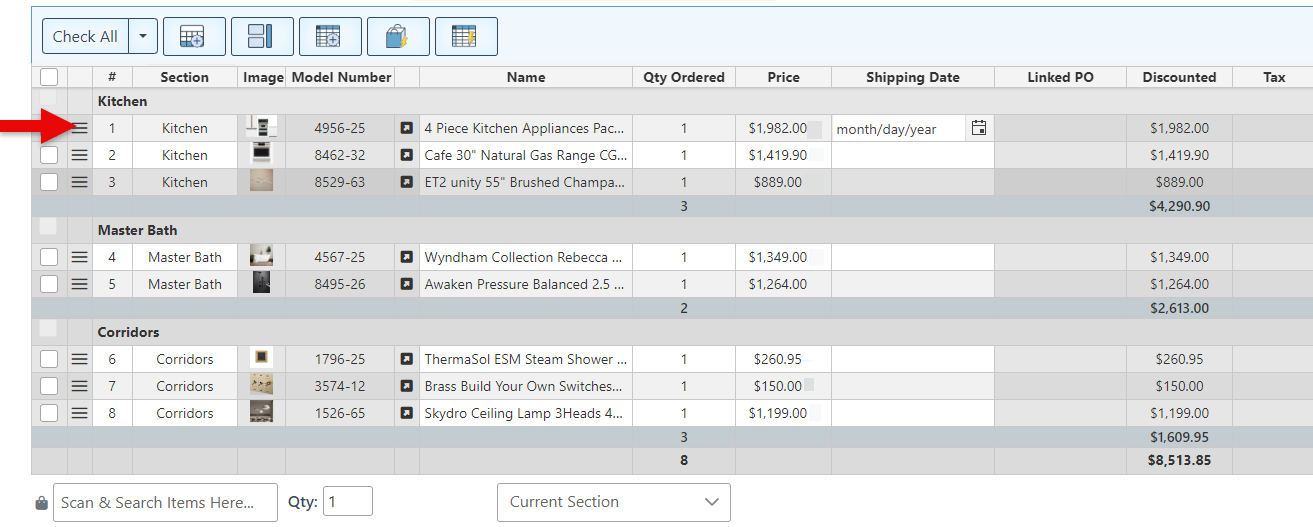
The invoices include a unique feature that allows invoices to be split into a main (base) and sub-transactions. This enables invoices to be divided based on shipments, and allows payments to be accepted as items are supplied. Once the invoices have been split, any modifications made to a sub will be automatically applied to the original base invoice. This helps organize and streamline the process of supplying and receiving merchandise.
The side panel includes a tab that displays base and sub-transaction details, allowing easy navigation between them and the creation of new sub-transactions.
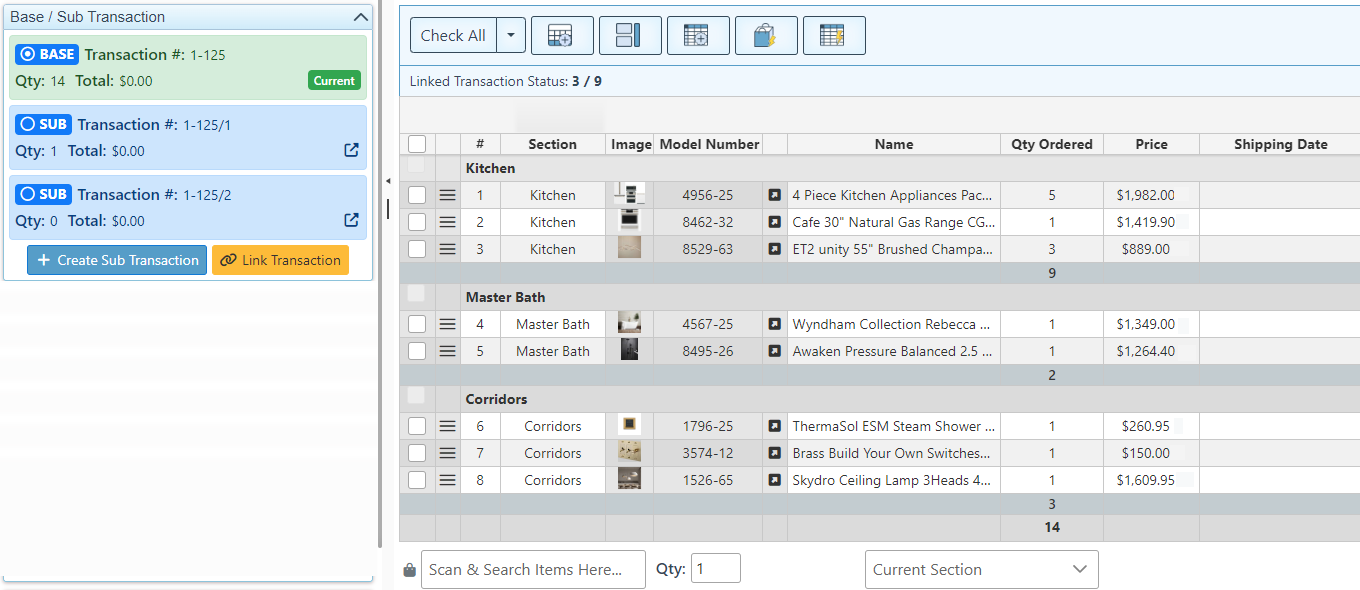
The states of the invoice can be customized to allow actions such as adding items, receiving items, and making payments only in specific states.
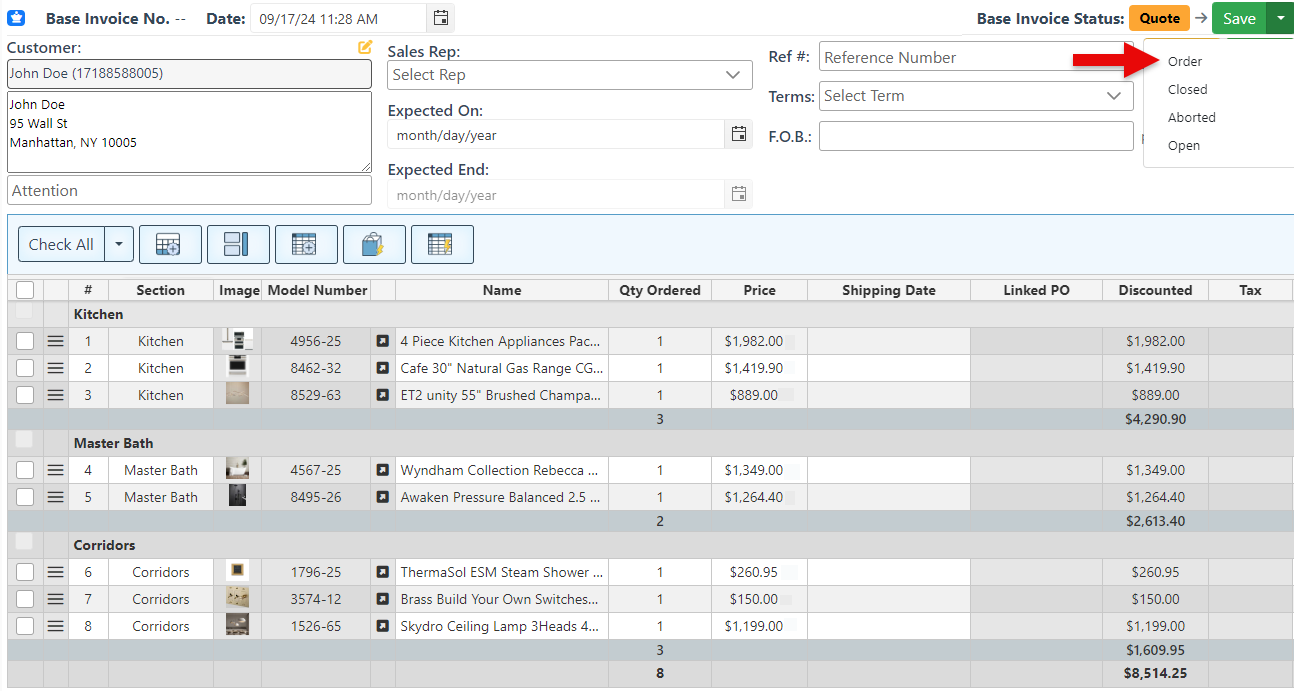
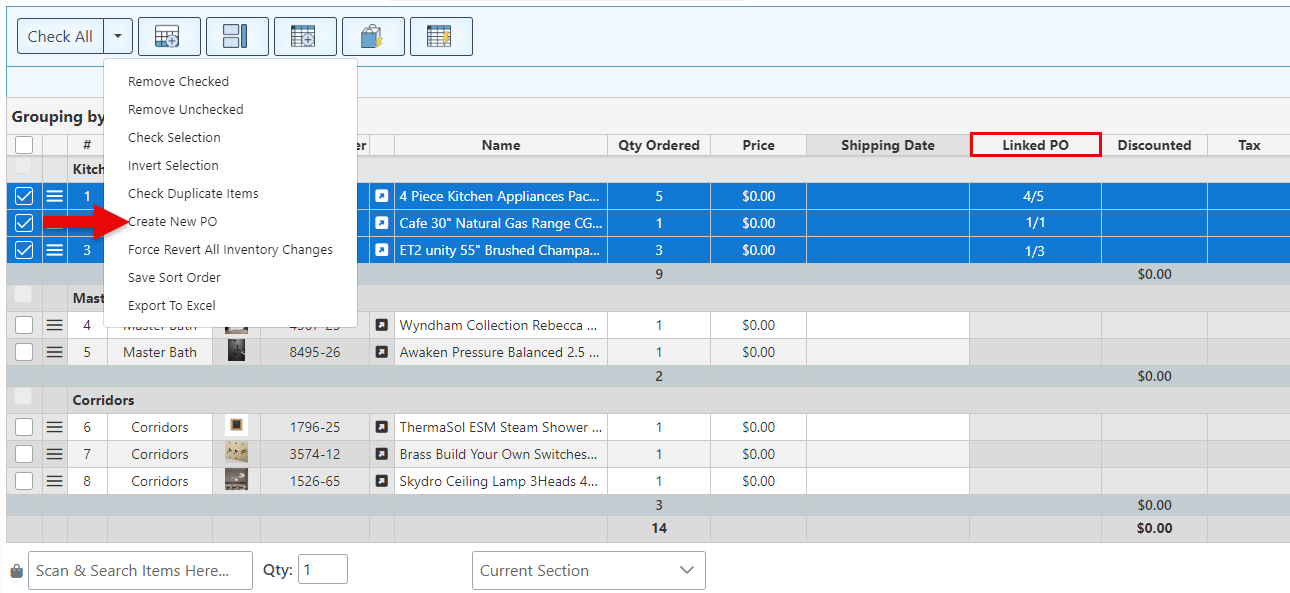
Purchase orders for items ordered in the invoice can be created directly from the invoice page. This makes it quick and efficient to re-order customer-requested items from suppliers. If the selected items are supplied by multiple vendors, separate purchase orders will be automatically created for each supplier.
The “Linked PO” field on the item row will display the number of items already supplied in the linked PO, enabling a quick view of the order status.

-
Coupon code labels can now be printed directly from the page coupon code page.
-
Advanced self-checkout functionality includes new configuration to enable "Multiple mode" by default.
-
New button to duplicate transaction entries, including their sub-items.
-
New option to import excel sheet of addresses for Corporate Order Deliveries.

-
Use the link icon to the right of the balance amount on invoices to auto-link any available credit to the transaction.
-
Add the “Return Info” widget to the Frontend checkout screen to view a list of items scanned for return in the transaction.
-
To reset a user's password, click the user's name in the top-right corner to open the user profile.

-
Modern POS systems have revolutionized how invoices are handled, with studies showing they can increase ROI by 566% in the first year due to better inventory management and reduced labor costs, based on studies done by Swell.
-
Retailers utilizing data analytics from their POS invoices experience a 5% to 10% increase in profit margins, according to Paycompass.com.
-
According to a study by Amalto Technologies, Roughly 61% of late payments are caused by incorrect invoice data, which modern POS systems eliminate.

Explore our "What’s New" page to discover the latest advancements and updates. We regularly share our newest developments, innovations, and features to keep you informed and engaged.
Ensure that your system is updated to the latest version by closing and restarting the POS program. A notification pop-up will appear, prompting you to update to the most recent version. This will enable access to and installation of the latest feature updates for your system.
Note: The POS system is highly customizable. If your system does not show the features mentioned here, contact your First Choice agent to set it up.
Our expert support team is standing by to assist you, via phone or Email, with any questions that may arise.
Contact us at 718-522-0909 or email info@firstchoicepos.com.
Happy with the service? Give us a thumbs-up.
Write a quick and easy GOOGLE REVIEW to let others know why First Choice is the best choice for a retail business.