
Explore our September System Updates
We are excited to share our recent advancements, featuring system updates, tips, and seasonal highlights.
We are enthusiastic about the potential these updates offer and the new heights we can reach together. Thank you for your trust in us. We look forward to another month of mutual progress and collaboration.
Introducing The AI Dashboard
I’m excited to introduce our new AI Sales Overview Dashboard, designed to provide a clear, centralized view of key sales performance. The dashboard summarizes important sales data and AI-powered insights to help quickly identify opportunities, monitor performance, and make more informed, data-driven decisions. This new resource is intended to simplify business management, giving greater visibility into what’s happening across the business and where to focus efforts for the greatest impact.
To enable the AI Dashboard for your business, reach out to our support team at 718-522-0909 or send an email to info@firstchoicepos.com

The AI Dashboard summary can be configured to be delivered directly via email on a daily, weekly, or monthly basis. Alternatively, once enabled, use the new upper-right AI button in Backoffice to access the AI Dashboard.
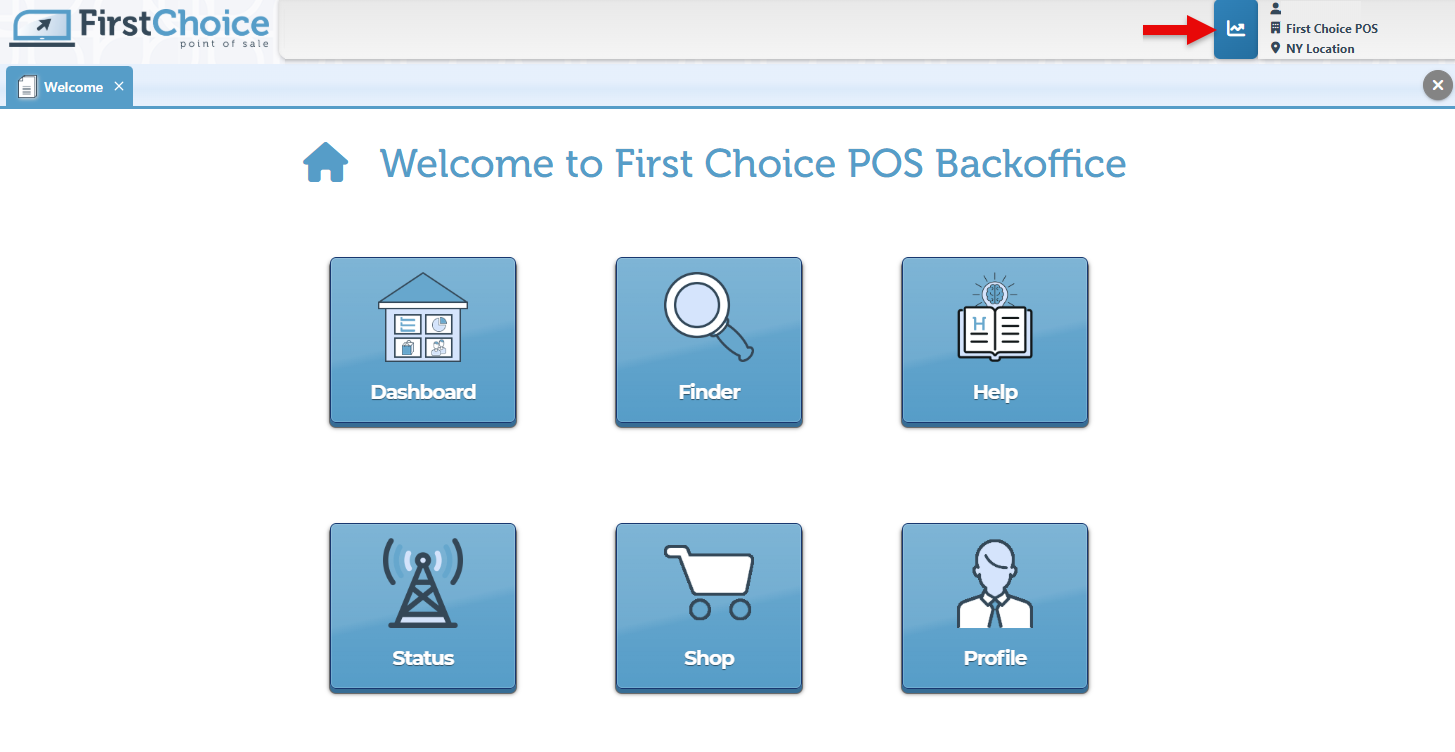
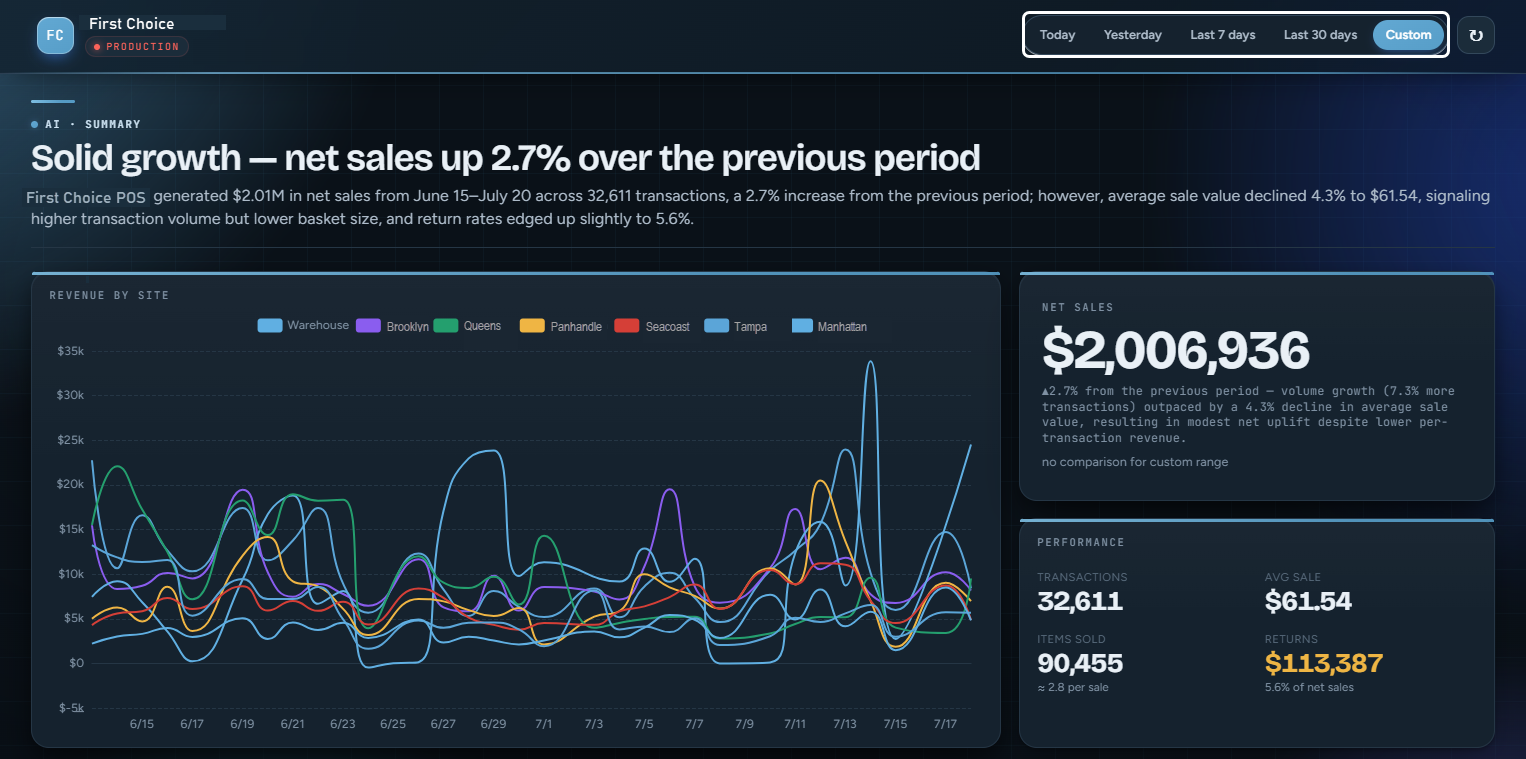
The calendar choices at the page header allow for the selection of specific dates for which to apply the AI insights.
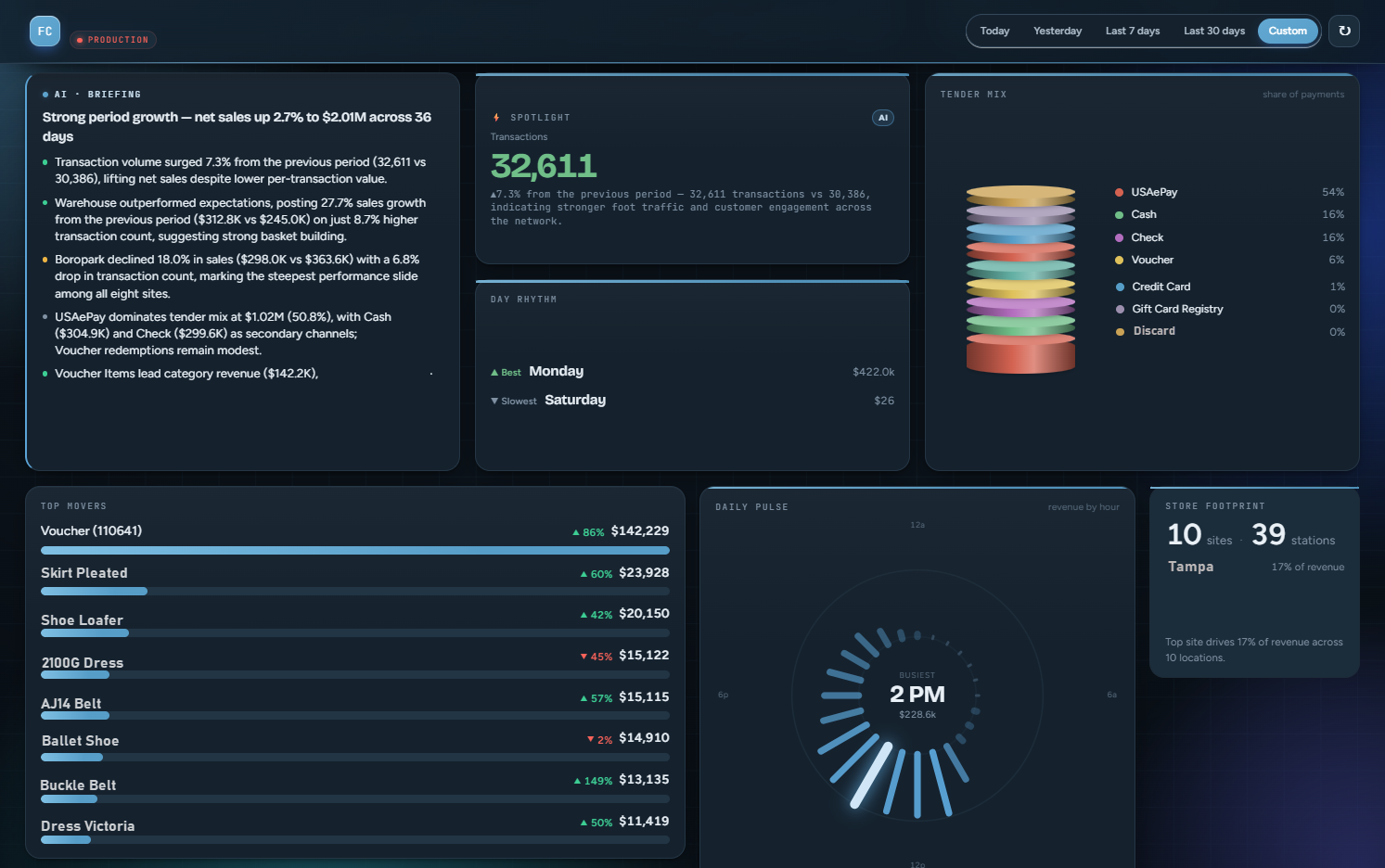
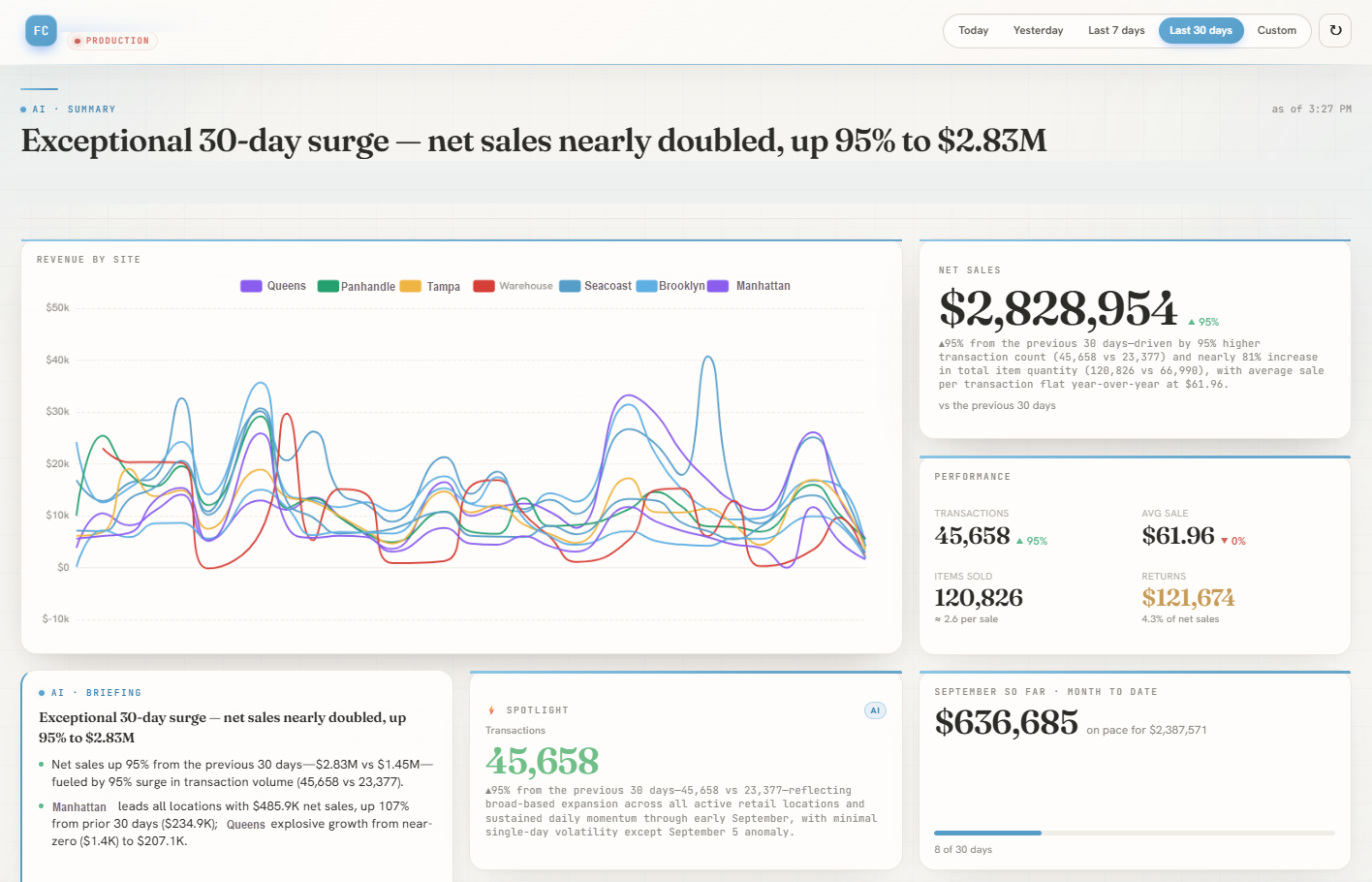
The Dashboard provides a quick, high-level overview of products, sales growth, payment methods, and overall store performance. As part of the comprehensive business overview, it displays the total number of transactions alongside a circular Daily Pulse visualization, which illustrates revenue throughout the day highlighting the busiest period.
The Dashboard also includes a breakdown of payment methods, a ranked list of products by sales with percentage changes to highlight momentum, and a summary of sites and stations. Together, these insights make it easy to identify top-performing products, locations, and key revenue drivers at a glance.
The lower dashboard cards bring key sales insights into focus, with AI Recommended Actions highlighting important business details that would require further review or action. Supporting charts visualize sales performance across time, days, product categories, and store locations, helping teams quickly understand what’s driving revenue and where opportunities exist.
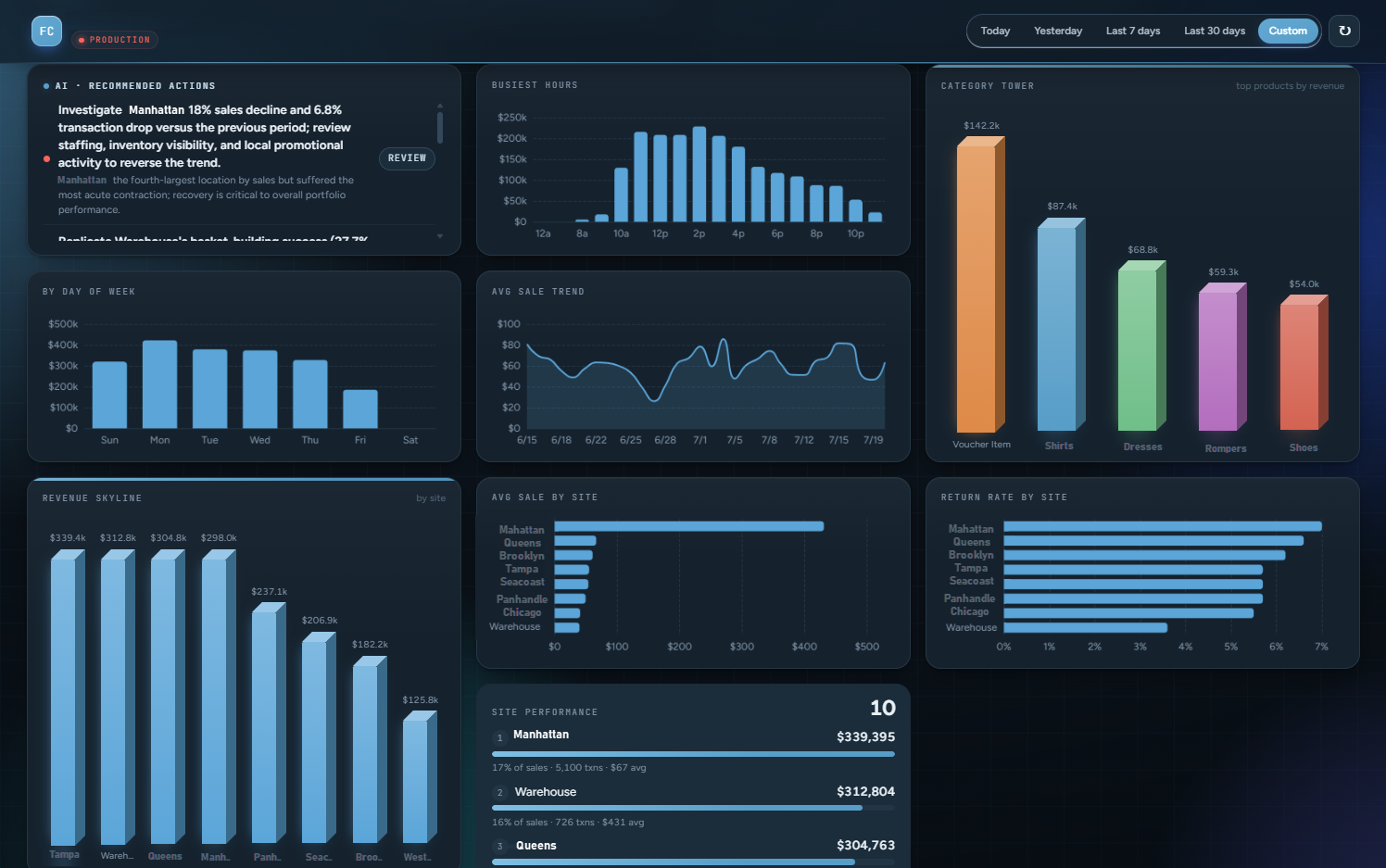
The dashboard supports both Light and Dark modes to accommodate viewing preferences.

-
Introducing the Entry Field Form Editor, an advanced side-panel widget used to add notes and customization details to an entry, such as height, font, thread color, or other item-specific specifications.
-
New configuration to set different tenders to appear for customer and supplier payment pages.
-
Added a new configuration option to set the default number of days for vouchers to expire.
-
Featuring a new option in the Update Pricing side-panel widget to calculate an item’s price based on its MSRP.
-
Improved bulk voucher feature allows for vouchers created in bulk to be linked to an account.

-
To set the quantity for the next item you scan, type the quantity followed by
*.
Example:5*= the next scanned item will have a quantity of 5. -
To set the quantity in cases for the next item you scan, type the quantity followed by
c*. Example:3c*= the next scanned item will have a quantity of 3 cases. -
Use the keyboard shortcut F11 to add shipping to a transaction and open to the shipping page.
-
Set permissions to control access to reports for specific users, allowing or restricting them as needed.

-
AI creates about 34 million images every single day, as concluded by Medium studies.
-
A significant 78% of businesses use AI in at least one business function.
-
AI is projected to contribute up to $15.7 trillion to the global economy by 2030, according to PricewaterhouseCoopers (PwC).
-
Developers and employees who use AI assistants report a productivity increase of up to 30-40%.
-
According to Forbes Research, 97% of leaders investing in AI report positive return on investment.
What’s New
Explore our "What’s New" page to discover the latest advancements and updates. We regularly share our newest developments, innovations, and features to keep you informed and engaged.
See our Help Page for comprehensive guides and illustrations that detail both basic and advanced features of the system.
Ensure that your system is updated to the latest version by closing and restarting the POS program. A notification pop-up will appear, prompting you to update to the most recent version. This will enable access to and installation of the latest feature updates for your system.
Note: The POS system is highly customizable. If your system does not show the features mentioned here, contact your First Choice agent to set it up.
Our expert support team is standing by to assist you, via phone or Email, with any questions that may arise.
Contact us at 718-522-0909 or email info@firstchoicepos.com.
Happy with the service? Give us a thumbs-up.
Write a quick and easy GOOGLE REVIEW to let others know why First Choice is the best choice for a retail business.