
Below is a guide to enabling remote printing, which allows printouts to be sent to print on other stations.
-
Open the POS frontend.
-
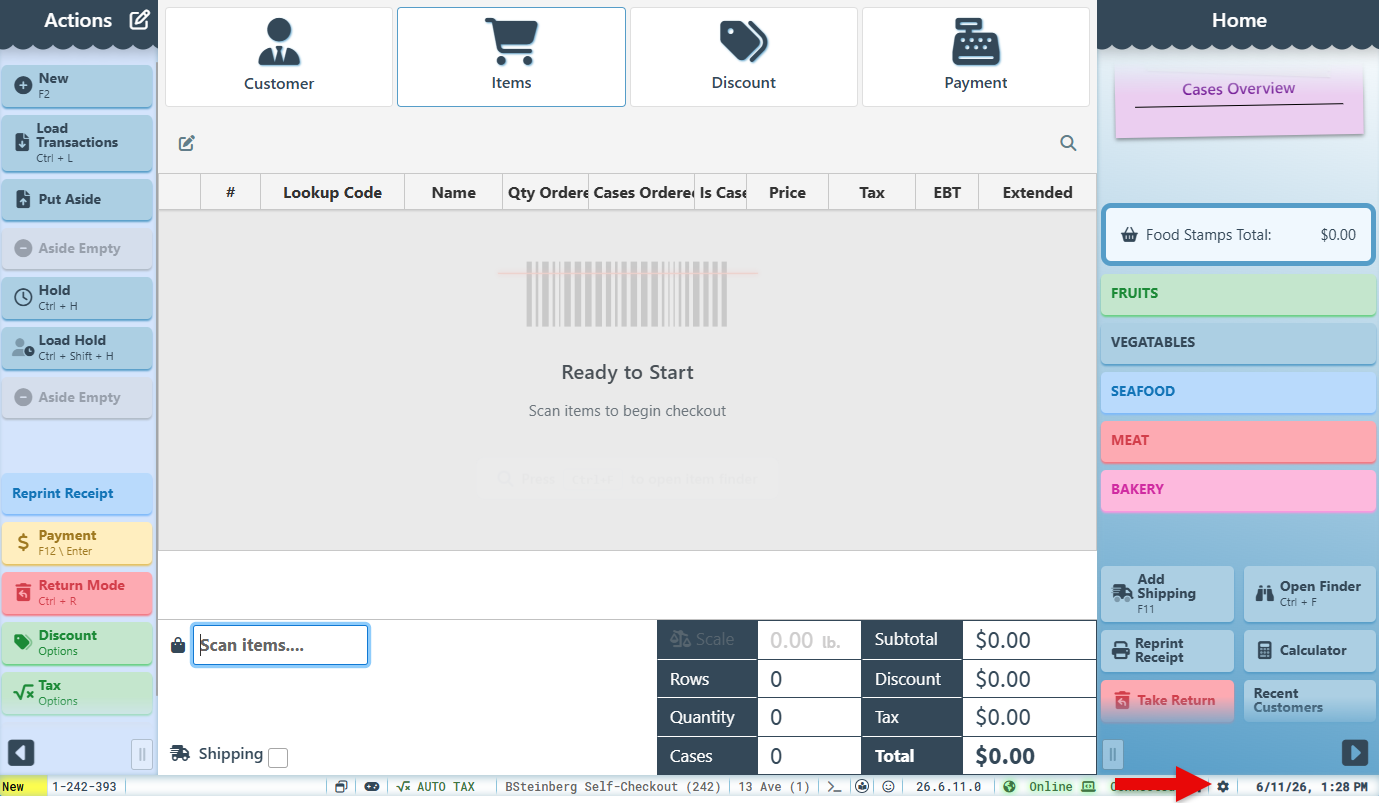
Click on the settings icon to access the station configurations.
-
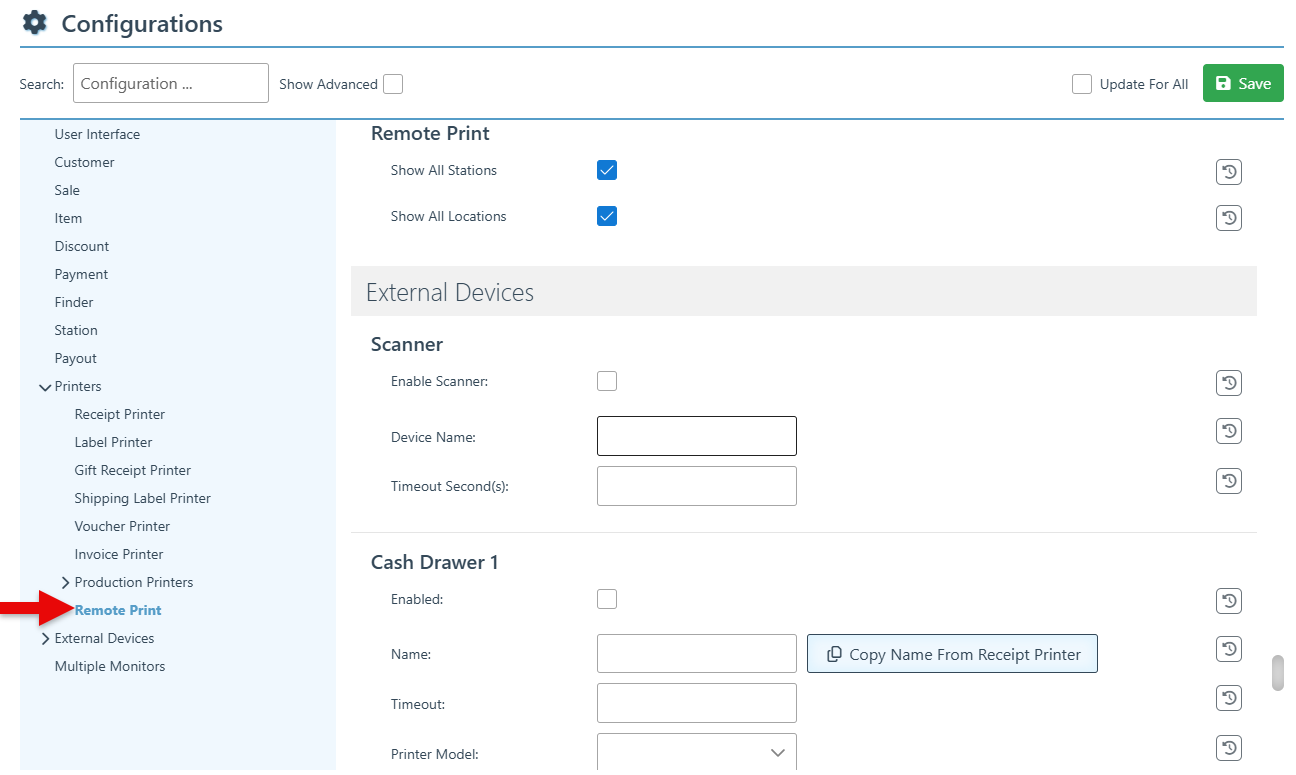
In the left-side menu, click on “Printers” and then select “Remote Print” from the dropdown menu.
-
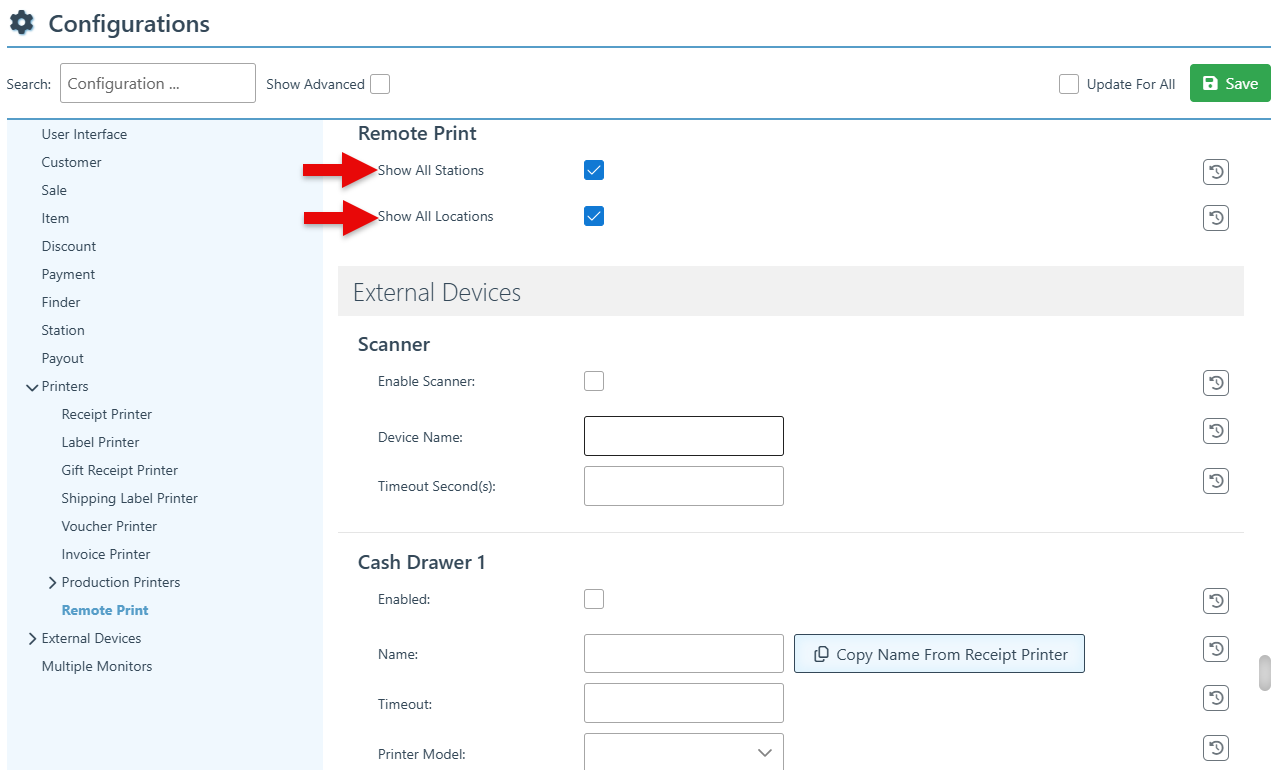
Choose the options for “Show All Stations” and “Show All Locations.” To limit remote printing to stations within the same site only, do not select the “Show All Locations” option.
-
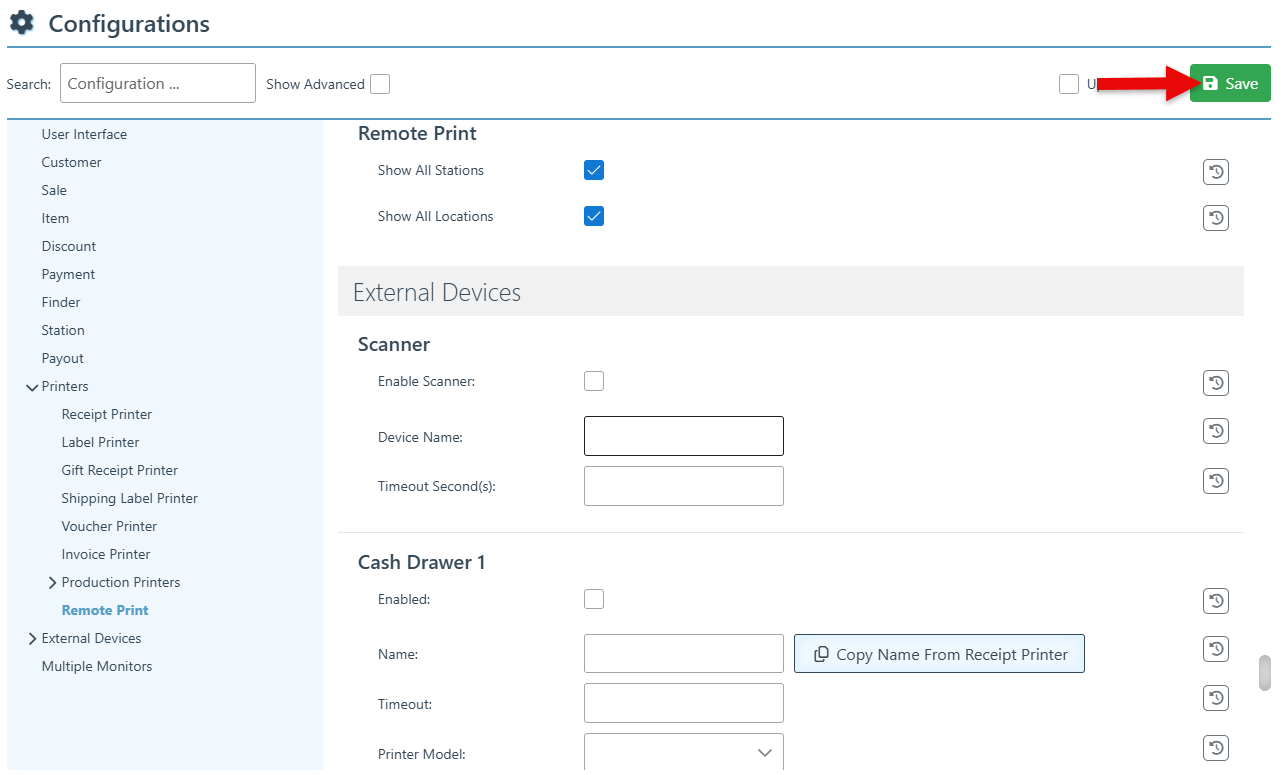
Click “Save” at the top right to save changes.
-
The remote print option will now be enabled for all print pages, including labels, invoices, and other printouts.

-
When remote print is enabled, all printers will be listed in the printer dropdown menu.