
Below is a guide to enabling and setting up return policies that can then be applied to specific locations or items.
Ensure that the “Return Policy” enterprise configuration or Add-On is enabled before proceeding to set up return policies.
-
Open Backoffice.
-
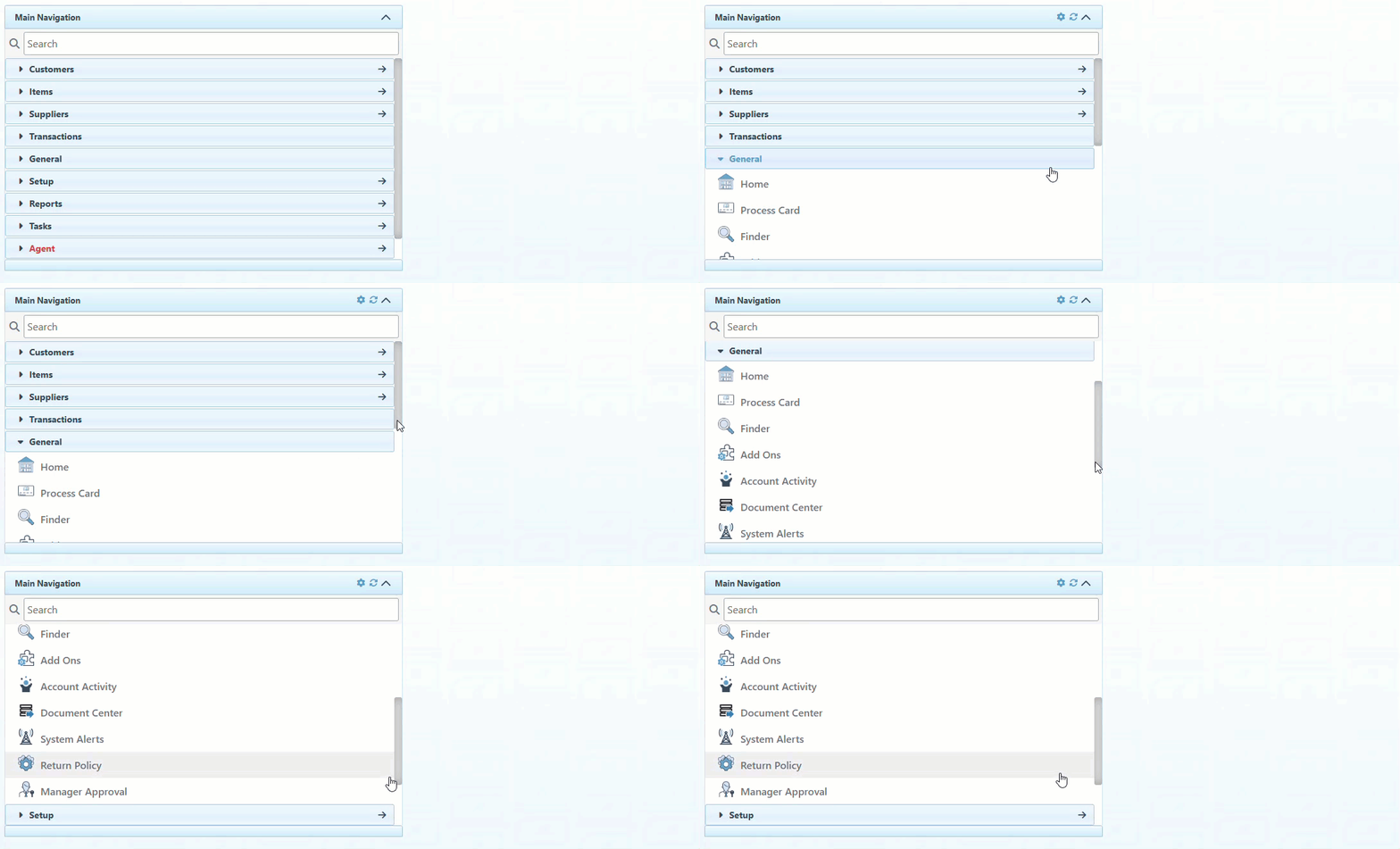
Click “General” in the Main Navigation menu and select “Return Policy” from the scrollable dropdown.
-
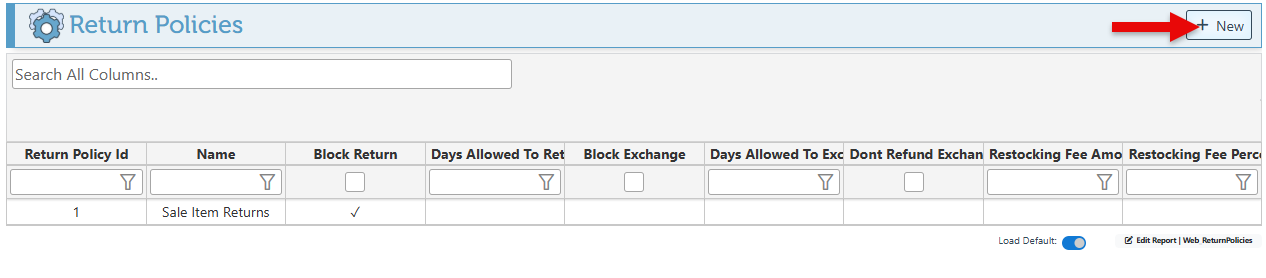
Click “New” at the top right to create a new return policy.
-
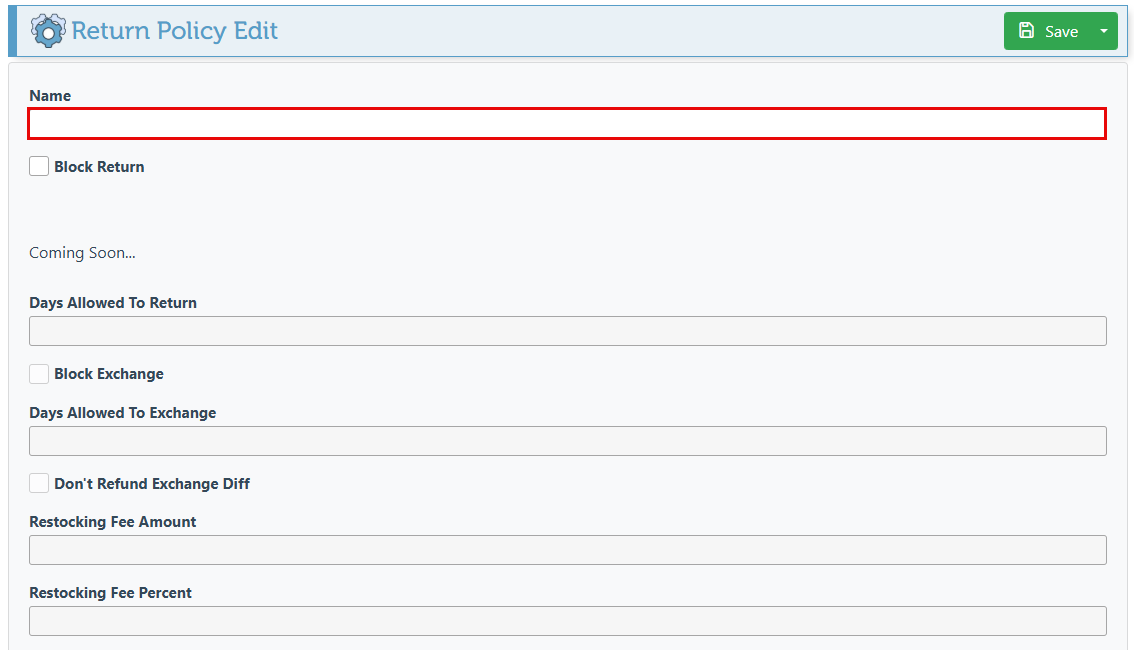
Enter the return policy name, and proceed to select preferred configurations.
-
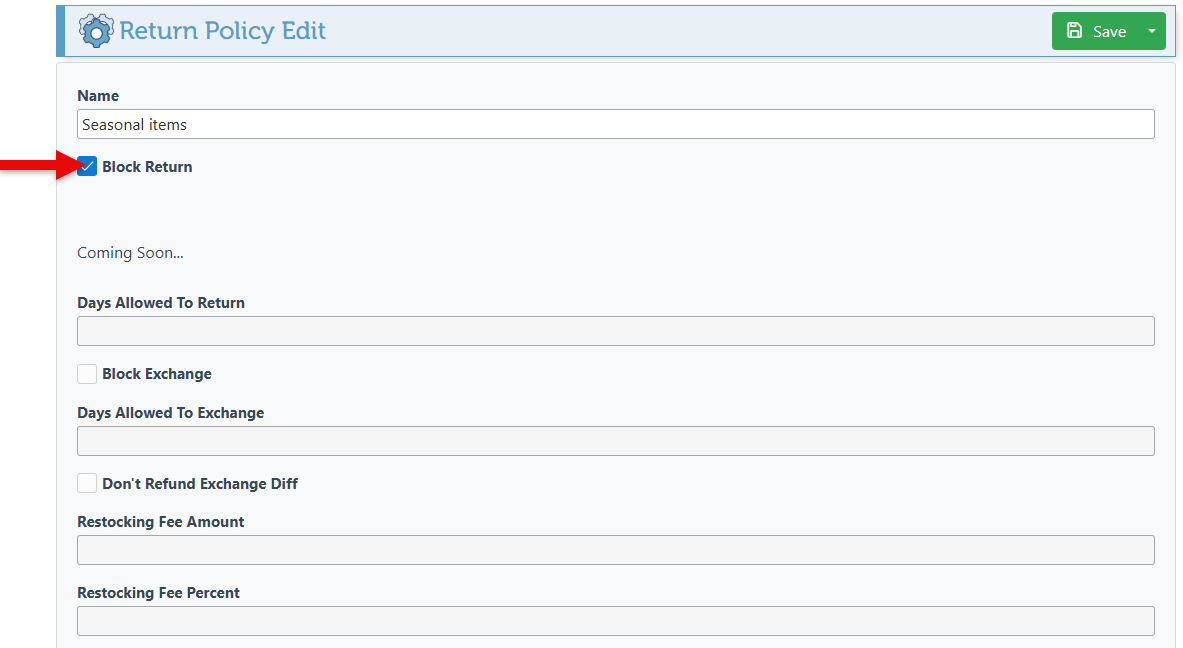
Select the “Block Return” configuration to block returns for items with this return policy.
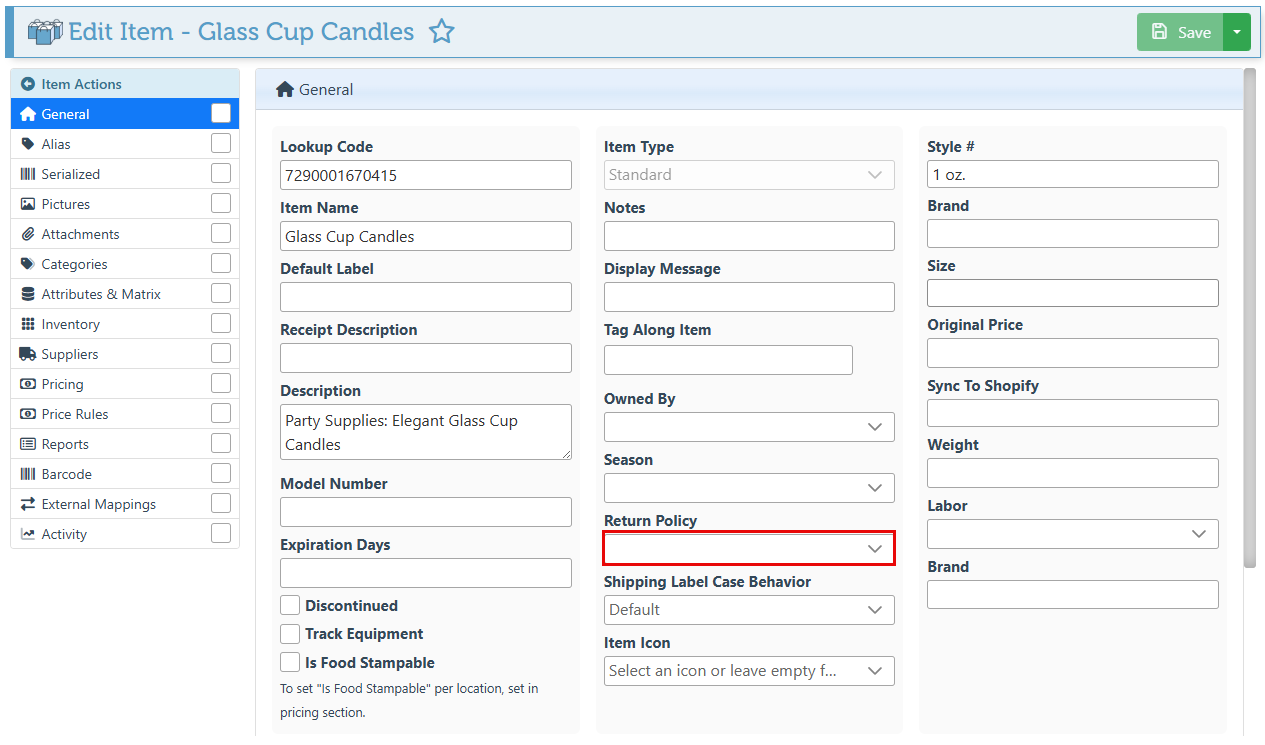
Items
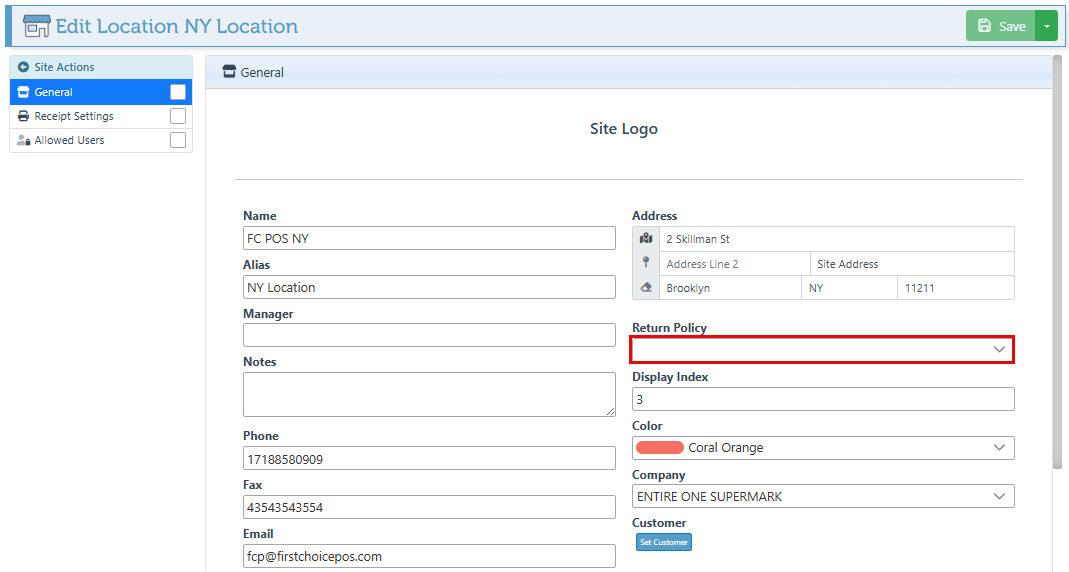
Locations/ Sites
Additional configurations coming soon…
-
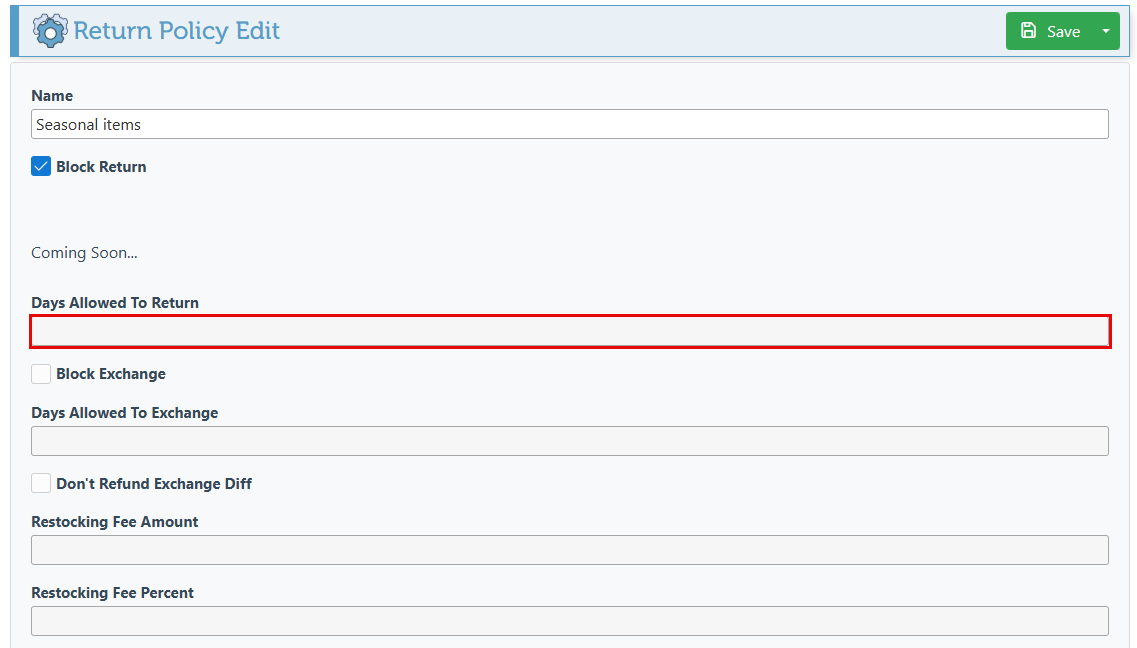
Select a specific number of days during which to allow returns.
-
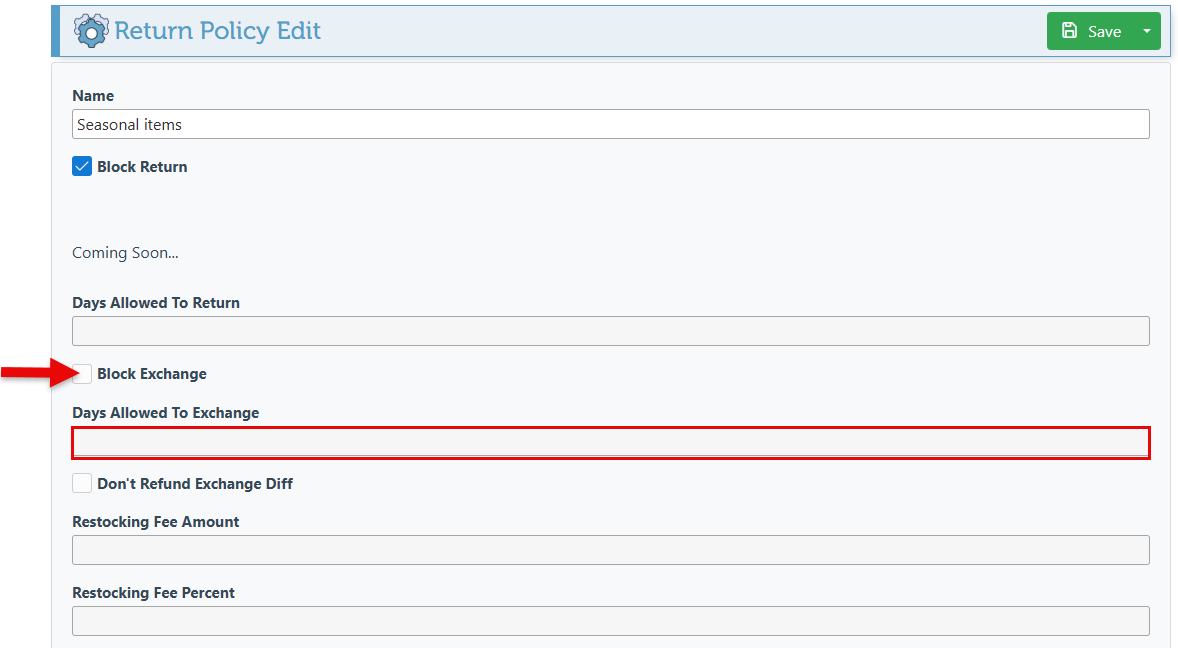
Select “Block Exchange” or a specific number of days since the sale during which to allow exchange.
-
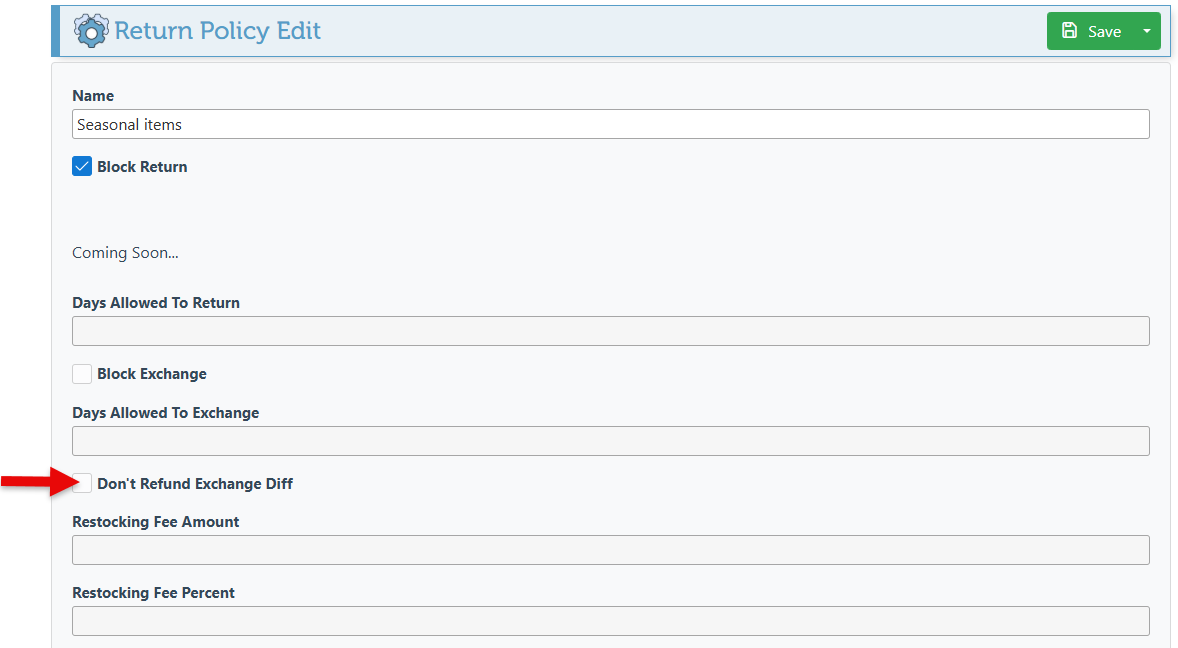
Select the “Don’t Refund Exchange Difference” checkbox to block money from being returned to the customer when doing an exchange with the item.
-
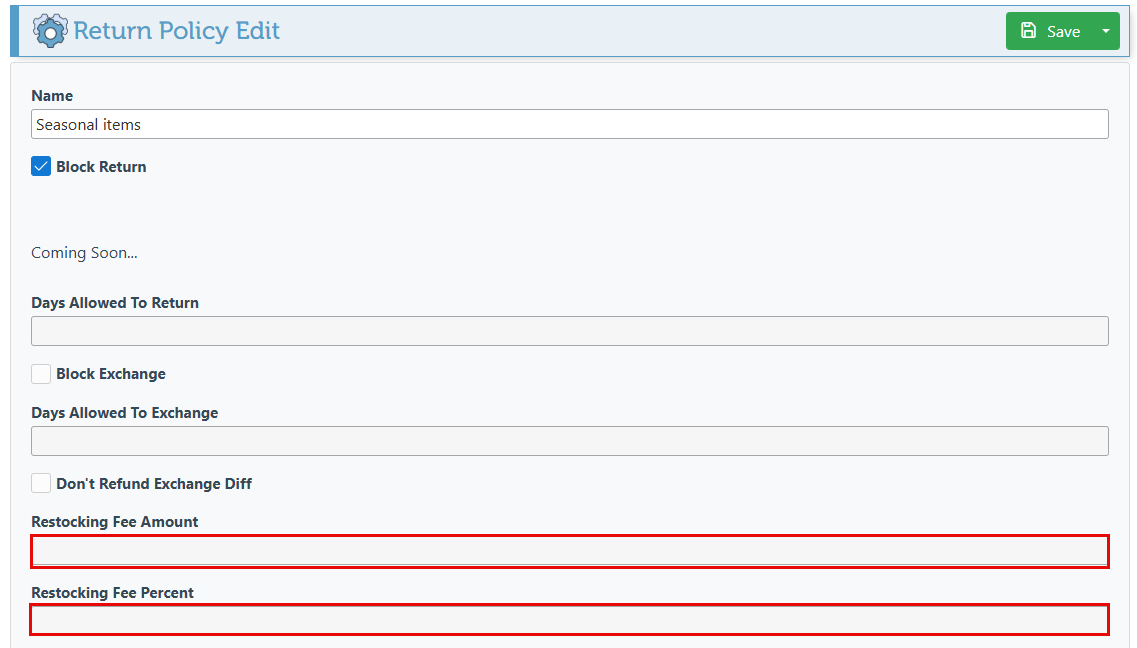
Use the designated fields to apply a restocking fee amount or percentage when returning this item.
-
Click “Save” at the top right to save new configurations.