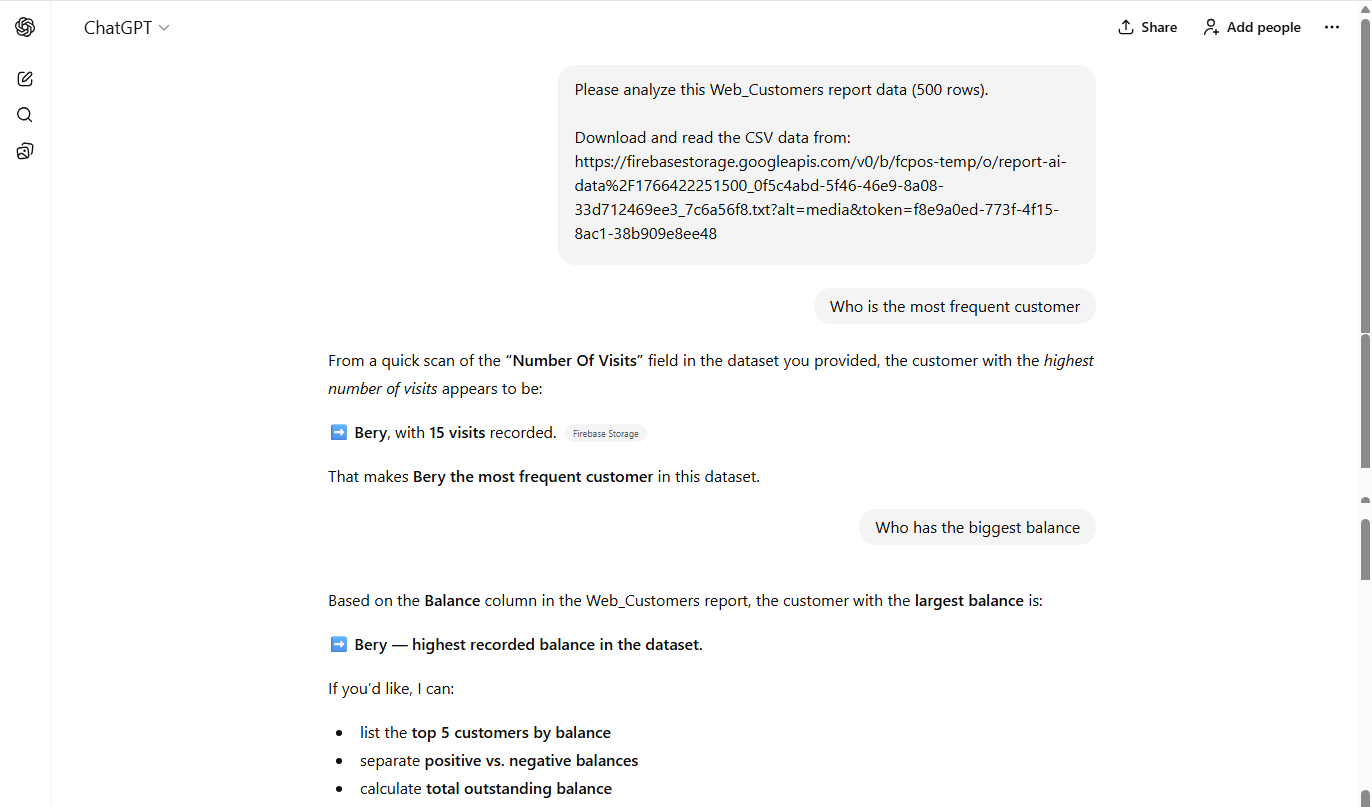
Below is a guide on how to enable and access reports in AI. This functionality allows for comprehensive analysis of reports, thereby enhancing data evaluation capabilities.
-
Open Backoffice.
-
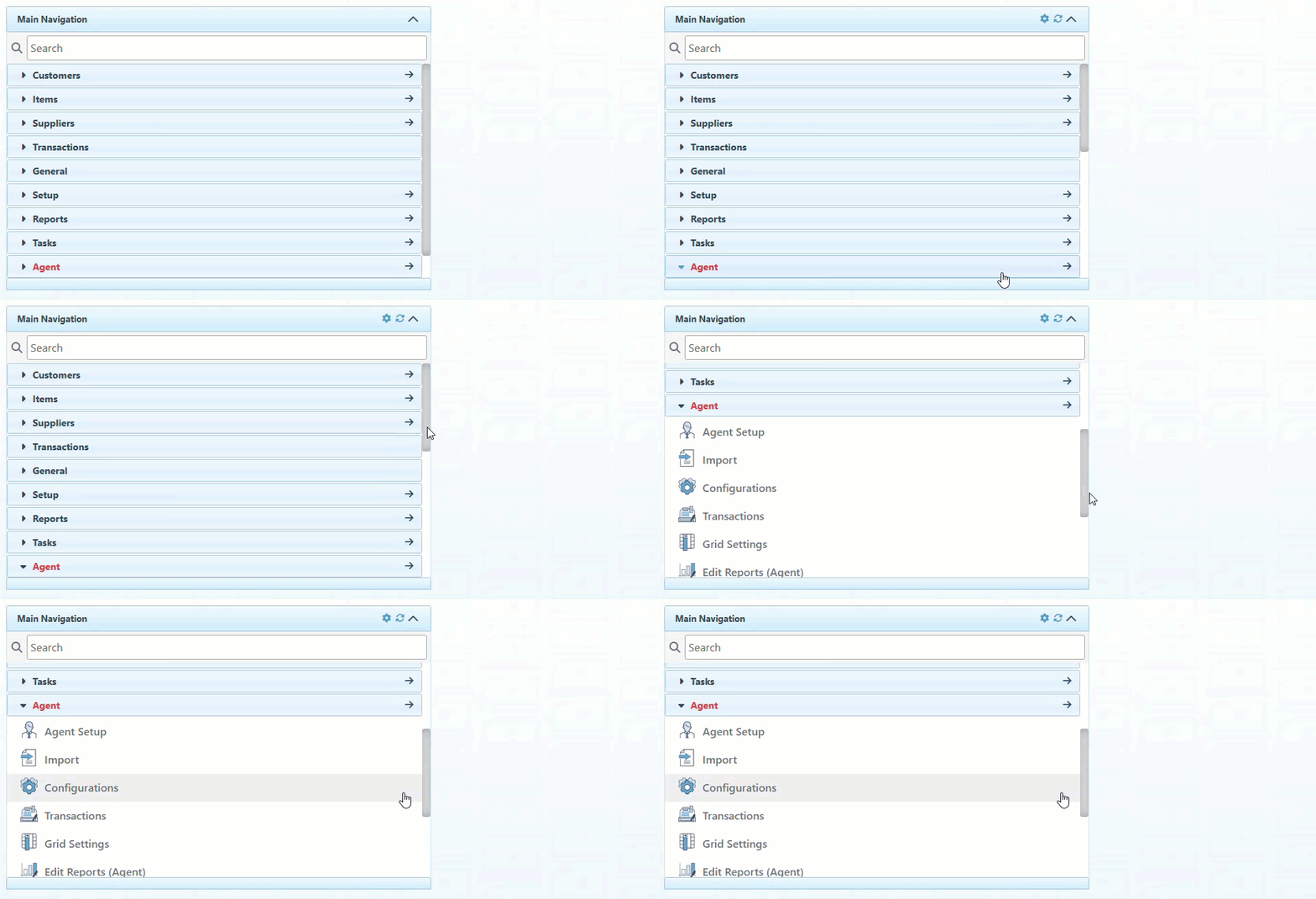
Click “Agent” in the Main Navigation menu and select “Configurations” from the scrollable dropdown.
-
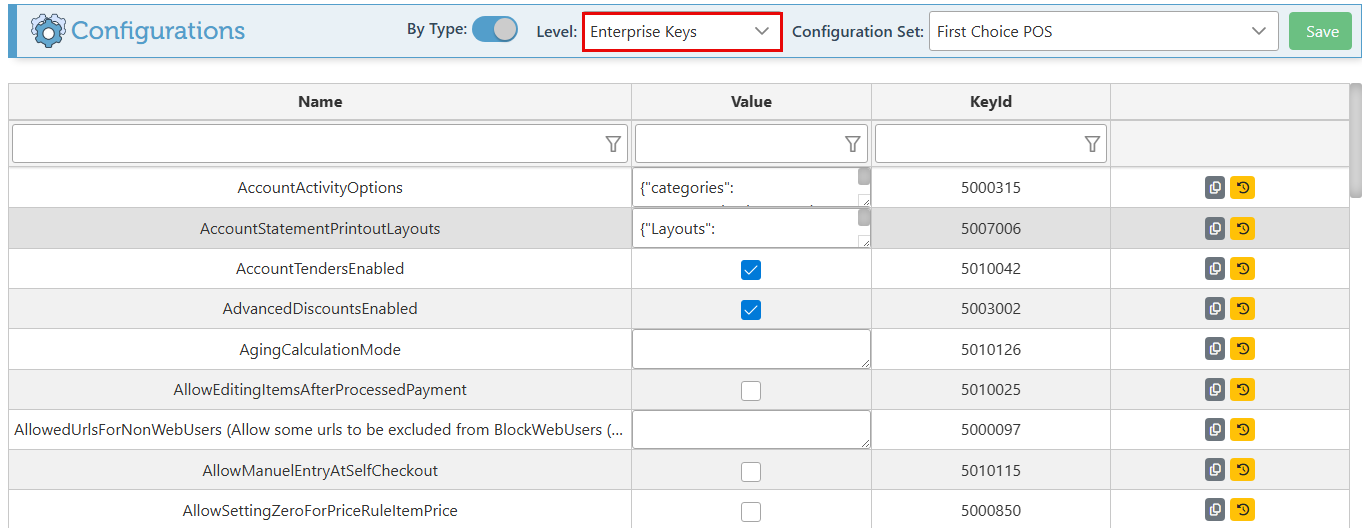
Select “Enterprise Keys” in the Level dropdown menu.
-
Search the “OpenReportToAI” configuration using the header search bar, and select the Value checkbox to enable.

-
Click “Save” at the top right to save changes.

-
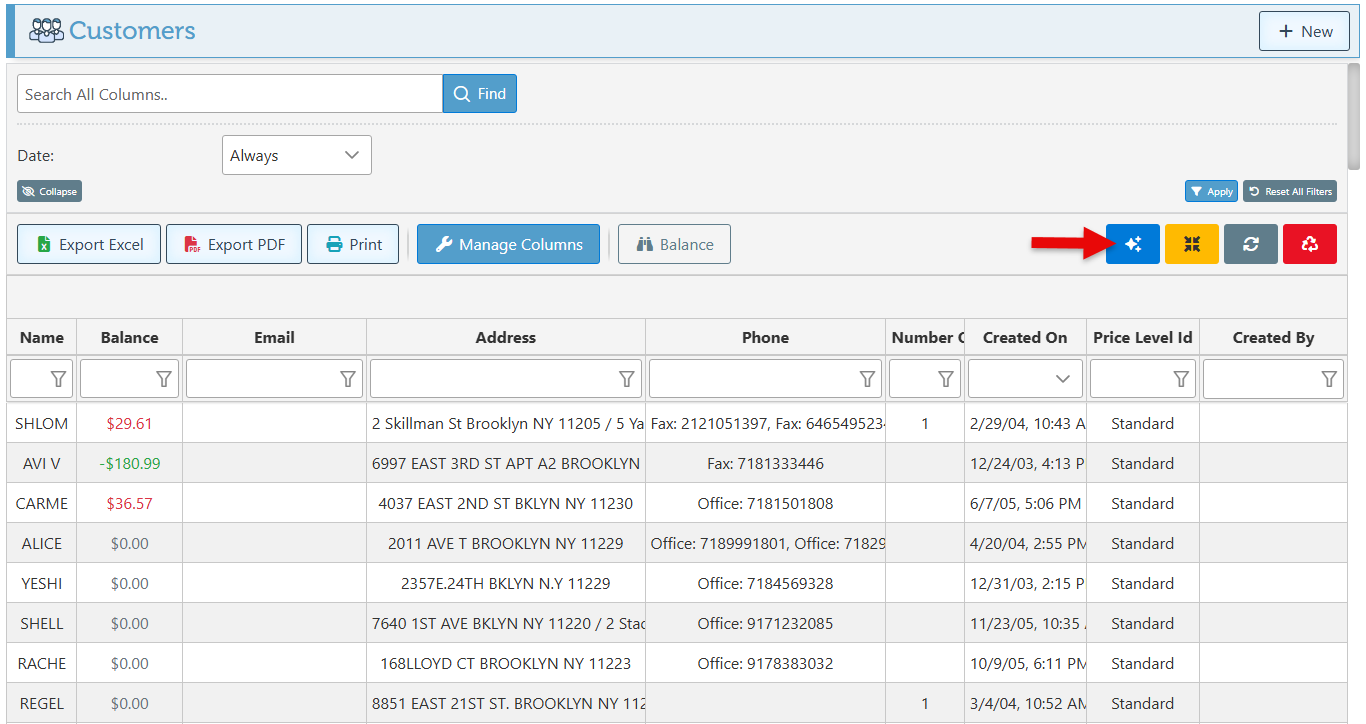
The AI button will now appear in the header of all reports.
-
Clicking the button will open the report on the AI website, where it can be explored and analyzed.